

Driver’s Desk
GPS Car Tracking for Parents: A 2026 Safety Guide
Teen crash risk is high enough that parents should treat driving safety as a system, not a one-time talk. For families with a new driver, gps car tracking for parents often starts as a way to locate the car, but its better use is reducing panic, setting expectations, and shortening response time when something goes wrong.
I tell parents to avoid using tracking as a hidden surveillance tool. Teens usually read that as mistrust, and the conflict can undercut the safety goal. A tracker works better when both sides know what it does, what alerts matter, and when a parent will check the app. A practical setup can start with a car location tracking app for family vehicle visibility, then pair that technology with written rules your teen can understand.
This fact changes the conversation.
The strongest results come from a shared safety plan. That means a simple Parent-Teen Driving Agreement that covers when location checks are appropriate, which behaviors trigger a call, what happens after a speeding alert, and how your teen earns more freedom over time. Parents get visibility. Teens get clear boundaries and a fair path to independence.
That balance matters. Used openly, gps tracking supports coaching, faster emergency response, theft recovery, and calmer decision-making at home.
Understanding How GPS Car Tracking Works
Roughly half of parents report using digital tools to monitor a teen's location. For gps car tracking for parents, that shows how common the technology has become. The more important question is how it works and how to set it up in a way your teen understands.
A vehicle tracker handles three separate jobs. It calculates the car's location, sends that data through a cellular connection, and turns it into something readable in an app. That app may show a live map, trip history, geofence alerts, and driving events such as hard braking or rapid acceleration, depending on the device.
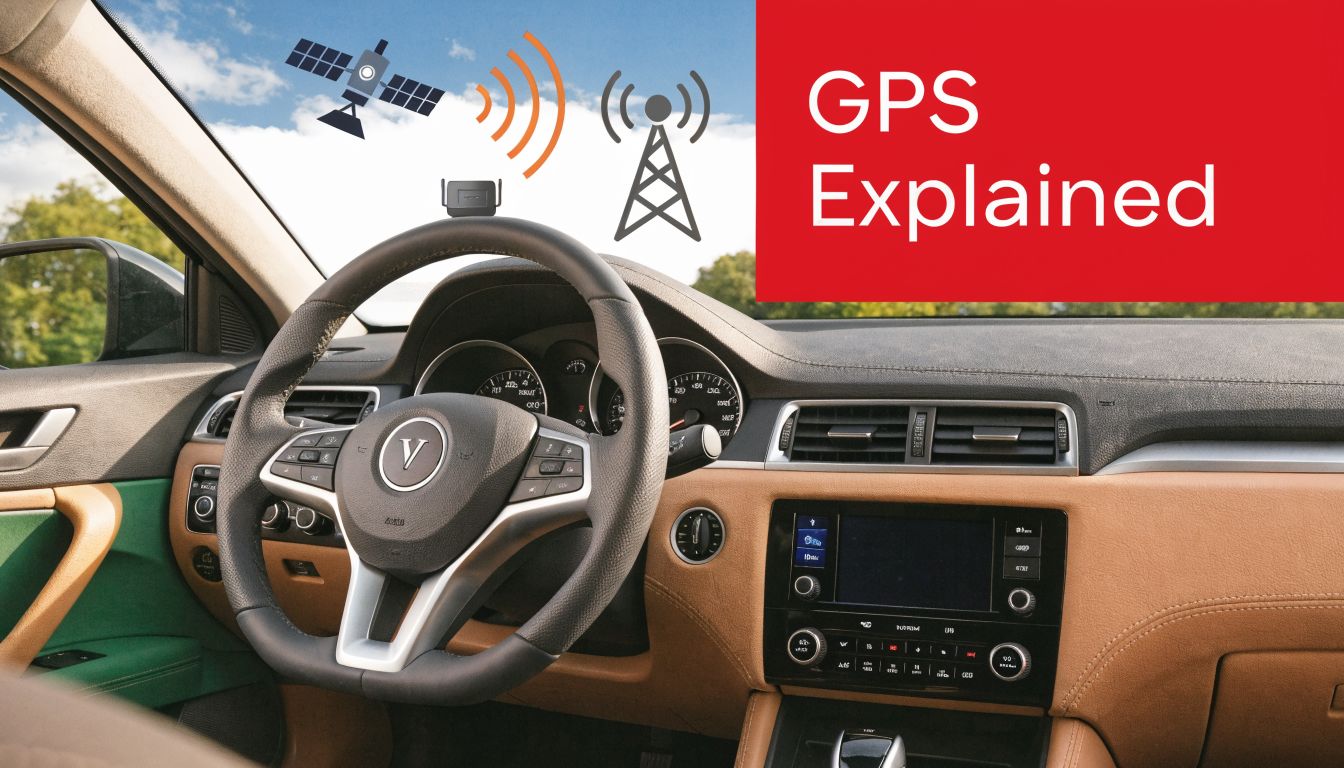
What the device is doing
The tracker receives signals from GPS satellites to estimate position, then uses a mobile data network to send that information to your phone. In good conditions, many modern systems can place a vehicle within a small area and refresh often enough to show whether the car is moving, stopped, or leaving an approved route. Accuracy drops in parking garages, dense urban areas, tunnels, and rural zones with weak cell coverage. Parents should know that limitation up front, because a delayed update does not always mean a teen is hiding something. Sometimes it means the signal is poor.
Geofencing is one of the most practical uses. You draw a virtual boundary around places such as home, school, work, or a teammate's house, and the app alerts you when the car enters or exits that area.
A simple rule applies here. If the goal is safety during the trip, choose a real-time tracker. A device that stores data for later review will not help much if your teen is driving somewhere unexpected at 11:30 p.m.
Passive loggers versus real-time trackers
These are different tools, and parents often mix them up.
- Passive loggers save trip data on the device for later download. They can help during a review conversation, but they do not send live notifications.
- Real-time trackers transmit location and vehicle activity as the trip happens. That supports live map views, geofence alerts, movement alerts, and quicker check-ins when something looks off.
For a family safety plan, real-time tracking is usually the better fit because it supports action in the moment. If you want to see how a live system presents trips and alerts, the car location tracking app for family vehicle visibility is a useful example of that setup.
The three hardware types parents usually choose
The hardware matters as much as the app because power loss and tampering are common failure points.
| Tracker type | What it does well | Where it falls short |
|---|---|---|
| Battery-powered tracker | Flexible placement and easy transfer between vehicles | Needs charging and can go offline if charging gets skipped |
| OBD-II plug-in tracker | Quick setup and access to some vehicle data | Visible under the dash and easy to unplug |
| Hardwired tracker | Continuous power and harder to tamper with | Requires more effort to install and remove |
OBD-II units are common in family cars because setup is fast. Hardwired units make more sense if a parent wants a cleaner install and fewer chances for the device to be removed. Battery-powered trackers are useful for temporary use or vehicle sharing, but many families get tired of charging them.
How to set expectations before the first trip
The technical side is only half the job. A tracker works better when your teen knows what is being monitored, which alerts matter, and what happens after an alert comes in.
Put that in writing. A Parent-Teen Driving Agreement should spell out when you will check location, which events trigger a call, and which issues wait for a later discussion. For example, a geofence alert after school may only confirm safe arrival, while repeated late-night movement or repeated speeding alerts may trigger a same-day review. That structure keeps GPS tracking tied to safety and coaching instead of turning every notification into an argument.
The best setup is simple. Use a device that stays powered, gives reliable updates, and matches rules your teen can explain back to you. That is how tracking supports trust instead of eroding it.
The Critical Safety Benefits for Teen Drivers
Teen crash risk is highest in the first years behind the wheel. That is the practical reason many parents add GPS tracking early. Used well, it gives you time to correct risky habits before they become the way your teen drives every day.
A tracker helps most when the family agrees on its job in advance. The goal is not constant surveillance. The goal is a shared safety plan. Parents get visibility during higher-risk situations, and teens know which alerts matter, which ones confirm safe arrival, and which patterns will lead to a calm review later. That structure lowers conflict and makes the device part of a Parent-Teen Driving Agreement, not a hidden test.
Why monitored driving often gets calmer
In practice, teens usually drive more deliberately when they know speed events, trip history, and unexpected stops can be reviewed. I have seen the same pattern in vehicle security work. Clear rules change behavior faster than lectures do. A teen who knows there will be a conversation about repeated speeding is more likely to back off the throttle than one who only hears general warnings before leaving the driveway.
The biggest advantage is context. A parent no longer has to guess whether a late arrival was heavy traffic, a long stop, or an unauthorized detour. Systems that combine trip data with alerts and theft protection, including tools described on the CarLock car security tracker page, give families a clearer picture of both driving behavior and vehicle movement.
Use alerts to coach patterns, not to punish every isolated mistake. One hard brake in traffic is not the issue. A repeat pattern on the same route is.
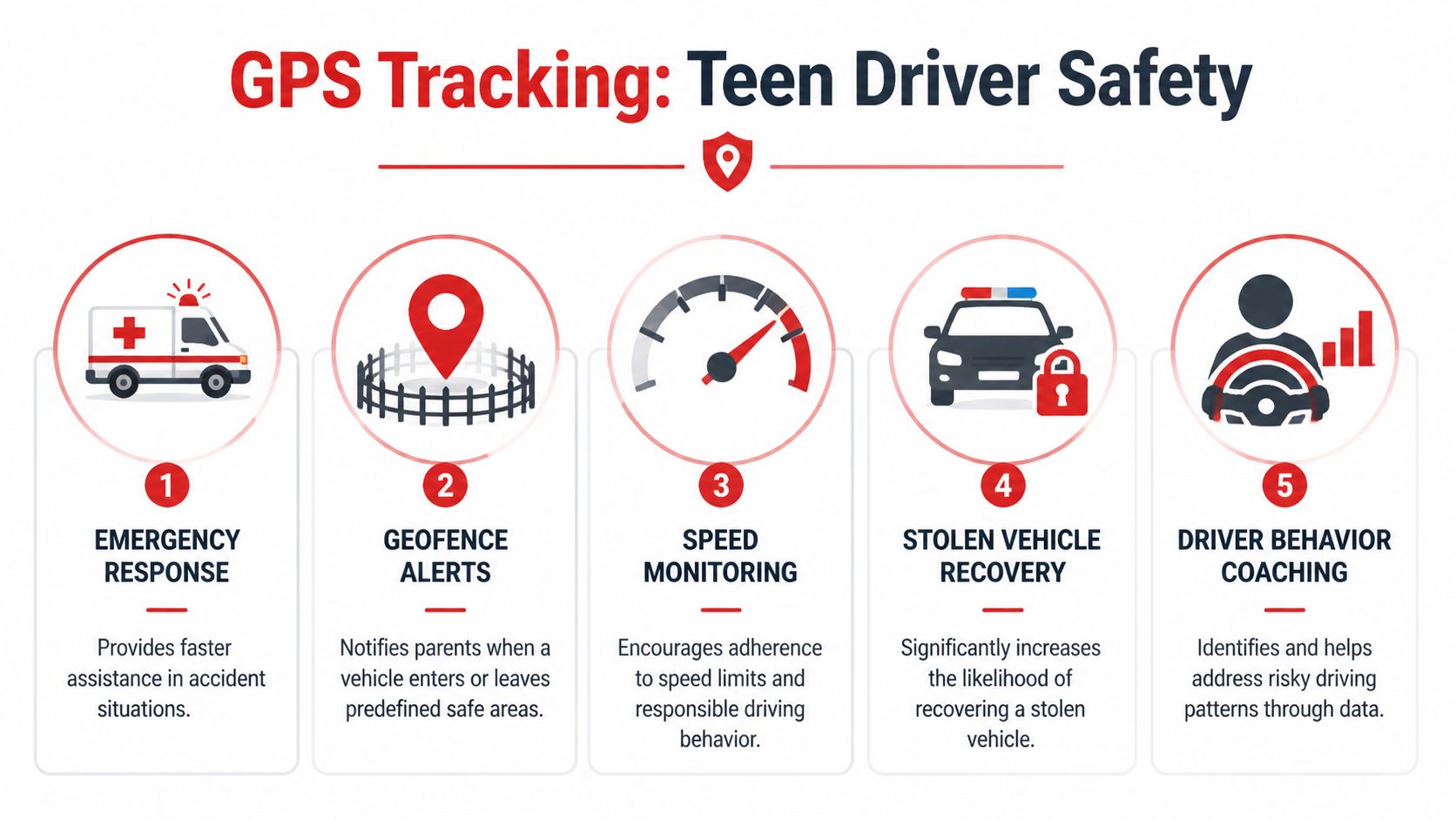
Five safety outcomes that matter in real life
Faster help after an incident
If your teen is upset, lost, or cannot clearly describe the location, live tracking gives you a starting point right away. That shortens the time spent guessing and helps you make better decisions under stress.Better speed discipline
Speed alerts turn speeding into a specific event instead of a vague suspicion. That makes the follow-up discussion more useful because you can address when it happened, where it happened, and whether it is becoming a pattern.Fewer risky side trips
Geofence alerts can confirm arrivals at school, work, practice, or home. In a family agreement, that is less about catching a teen and more about setting boundaries around routes, passengers, and late-night driving.Calmer coaching after the drive
Trip history helps parents review behavior after everyone has cooled off. That matters. Conversations based on a trip log are usually more productive than arguments based on hunches.Protection if the car is moved or taken
Teen safety and vehicle security overlap more than parents expect. A tracker can alert you if the car moves unexpectedly, is borrowed without permission, or is stolen.
Peace of mind matters, but trust matters more
Parents often focus on the emergency scenarios first, and that makes sense. The day-to-day benefit is different. You spend less time wondering whether silence means trouble or just a dead phone battery.
Used carelessly, tracking can damage trust. Used with clear rules, it often does the opposite. Teens know what is being monitored, parents respond consistently, and both sides have fewer arguments fueled by uncertainty. As noted earlier, families also value the anti-theft side of a tracker, but the bigger win is a system that supports safer habits while keeping the relationship intact.
The strongest setups do two jobs well. They help parents coach better driving, and they give teens a clear, fair framework for earning more freedom over time.
Essential Features to Prioritize in a Tracking System
A parent doesn't need every feature on a sales page. You need the few that change outcomes. For teen driving, that starts with behavior monitoring, not just a map pin.
According to SinoTrack’s discussion of family vehicle monitoring, speed and behavior monitoring systems that use accelerometer and OBD-II data have been linked in parental feedback studies to a 20% to 30% reduction in speeding incidents among monitored teens. The reason is straightforward. Real-time alerts give parents a chance to address bad habits before they become routine.
The features worth paying for
A good teen-driving setup should cover three categories. Live awareness, behavior insight, and review tools.
| Feature | Why It's Essential | Example Use Case |
|---|---|---|
| Real-time location | Shows where the car is during active trips | Your teen is late getting home and isn't answering because the phone battery died |
| Speed alerts | Flags dangerous driving quickly | You get a notification that the car exceeded the family speed threshold |
| Harsh braking and acceleration detection | Reveals patterns linked to aggressive or distracted driving | Several hard-braking events on the same commute suggest following too closely |
| Geofencing | Confirms arrivals and departures from expected places | The car leaves school earlier than expected or enters an area you've agreed is off-limits |
| Trip history | Makes calm, evidence-based review possible | You sit down once a week and review routes instead of arguing in the moment |
| Tamper or unplug alerts | Tells you if the device was removed or disabled | A visible plug-in tracker suddenly disconnects |
Why behavior data matters more than raw location
Location tells you where the car went. It doesn't tell you whether the teen drove well. That's why accelerometer and OBD-II inputs matter. They help the system detect sudden braking, rapid acceleration, and other events that are hard to see from route history alone.
For parents, that changes the conversation from "Why were you there?" to "Let's talk about what happened on this trip." That's a much more productive use of technology.
You can see how app-based alerting and trip review are typically organized in the CarLock app features overview.
Buy for the weekly review, not the first day of setup. If the reports are confusing, you won't use them after the novelty wears off.
What to skip if your goal is safety
Skip anything that only promises hidden tracking without a serious driver-safety workflow. A hidden device can still be useful, but if the app lacks event reporting, geofence controls, or a clean trip log, you'll end up with location data and very little coaching value.
Also be careful with systems that overwhelm you with notifications. Too many alerts train parents to ignore alerts. A smaller number of meaningful events is usually more effective.
Navigating Legal and Privacy Conversations with Your Teen
Most parents focus on the hardware first. The harder part is the conversation at the kitchen table.
The ethical issue is real. The A Class Sounds discussion of teen tracking privacy points to a genuine privacy-consent paradox. Parents may have the legal right to monitor, but teen privacy expectations still matter if you want to protect trust and keep the tracker from becoming a symbol of suspicion.

Start with ownership, then move to agreement
If the vehicle is owned by the parent and driven by a minor, parents often have broad authority to monitor it. But relying on legal authority alone is a weak strategy. It may win the argument and lose the relationship.
A better approach is to tell your teen exactly what's being monitored, why it's being monitored, and what would need to happen for monitoring to become less strict over time. If your family is working through state-specific permit restrictions, practical guides like these Georgia permit driving rules for 2026 can help ground the conversation in concrete driving rules, curfews, and supervision expectations.
Build a parent-teen driving agreement
Here, gps car tracking for parents becomes collaborative instead of controlling. Put the agreement in writing. Keep it short enough to read, but specific enough to avoid arguments later.
Include points like these:
What the system monitors
Spell out whether you're reviewing location, speed, harsh braking, late-night driving, or geofence activity.Why the system is in the car
Safety, emergency support, theft recovery, and skill-building are reasonable reasons. General surveillance is not a useful frame.When you will check it
Some parents check only for alerts. Others do a scheduled weekly review. Decide that up front.What triggers a conversation
Repeated speeding, repeated harsh events, driving outside approved areas, or breaking curfew should be clearly listed.How trust is earned
If your teen demonstrates steady improvement, some alerts can be relaxed and some reviews can become less frequent.
The healthiest rule is simple. Nothing about the tracker should be a secret from the teen who drives the car.
Set boundaries that feel fair
Parents sometimes make the agreement too broad. If everything is a violation, the agreement stops feeling legitimate. Focus on genuine safety issues.
A practical agreement often works better when it distinguishes between high-risk behavior and normal mistakes. One missed turn isn't the same as a pattern of late-night speeding. A clear threshold for concern keeps you from overreacting and keeps your teen from tuning out.
Later in the process, it helps to talk through data handling too. Families who care about app access, account sharing, and digital boundaries should review the provider's privacy information from CarLock before the first solo drive.
After you've had the first conversation, showing the technology in action can lower tension because it replaces assumptions with specifics.
What doesn't work
Secret installation rarely helps if your goal is better driving habits. It can create a short-term information advantage for the parent, but it doesn't teach judgment, and if the teen discovers it later, trust takes a hit.
Constant texting based on live location doesn't work either. If you're going to use tracking well, use it to support calm follow-up, not real-time micromanagement. The tracker should reduce chaos, not create more of it.
How to Choose the Right GPS Tracking Solution
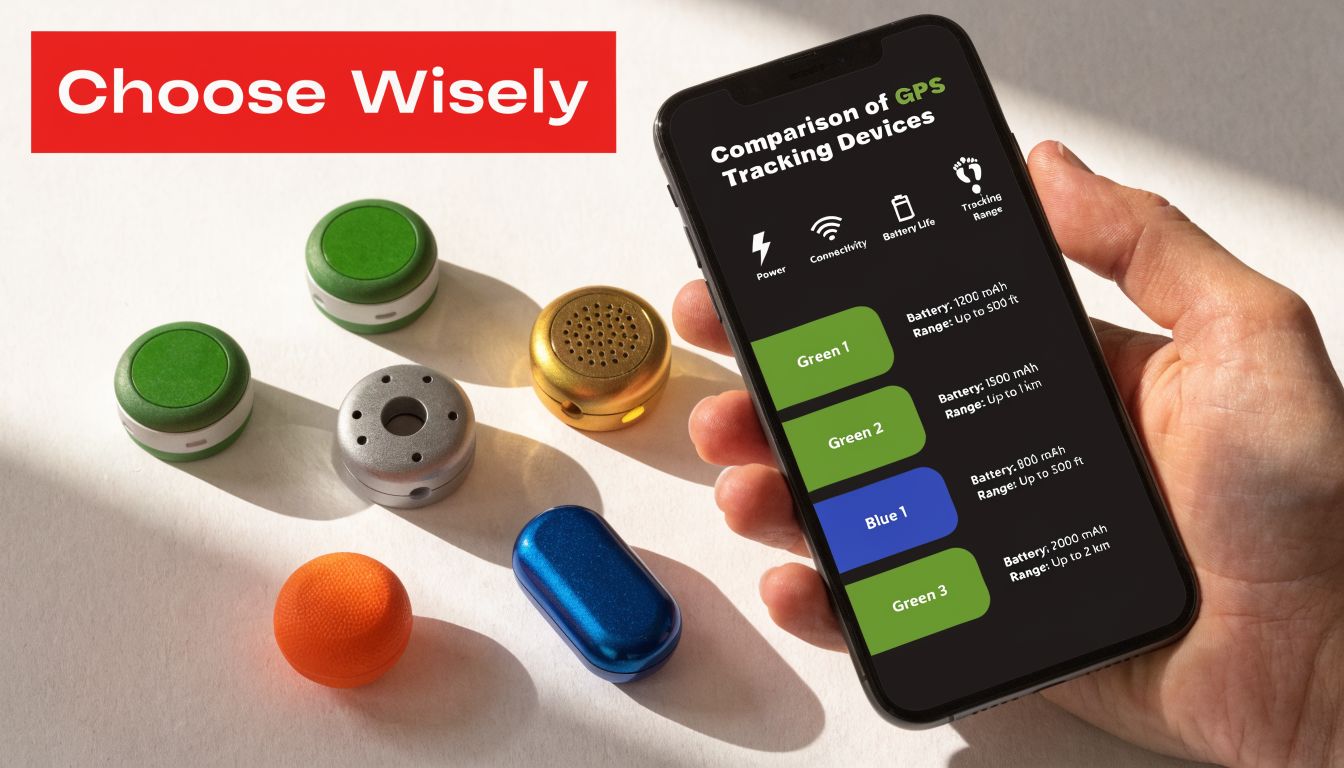
Choosing a tracker gets easier once you stop comparing product labels and start comparing family needs. A parent managing a newly licensed driver usually needs three things at once: reliable location data, useful driving alerts, and a setup that supports the agreement you already made with your teen.
The wrong system creates friction fast. If the device dies every few days, sends constant low-value notifications, or hides trip history behind a confusing app, parents stop checking it and teens stop taking it seriously. A good fit supports calm weekly review, not constant surveillance.
Start with the problem you actually need to solve
Parents often shop for "GPS tracking" as if every device does the same job. It doesn't. Some products mainly show a map. Others add driving behavior data, tamper alerts, engine-start notifications, or theft-related warnings.
Match the tool to the agreement you have with your teen.
- If your priority is arrival confirmation, basic location updates may be enough.
- If your priority is coaching safer habits, choose a system with trip history, speeding alerts, and clear event logs.
- If your priority is shared-car oversight, look for engine-start, movement, and boundary alerts.
- If your priority includes theft risk, choose a device that also alerts you to vibration, towing, or unauthorized movement.
That distinction matters because a tracker should support a family safety plan, not just answer "Where is the car right now?"
Compare hardware before you compare app screenshots
I usually tell parents to look at the install method early, because it affects whether the system stays in use for months.
- Battery-powered trackers are flexible to place, but they need charging discipline. That is a weak point in busy households.
- OBD-II trackers are easier for most families to keep active and usually provide better day-to-day consistency.
- Hardwired systems can be a good fit if you want a more permanent install and less chance of removal.
Tamper risk is part of the decision too. If a device can be unplugged in seconds with no alert, it does not give you much help in a real-world family car.
Judge alerts by whether they lead to a useful conversation
More alerts do not mean more safety. They often mean more noise.
Look for a system that helps you review patterns your teen can learn from. Repeated speeding on one road, late-night trips outside agreed hours, or harsh braking several times in a week are useful discussion points. A dozen vague notifications are not.
This is also where trust either improves or erodes. If the app pushes you toward reacting to every blip in real time, you are more likely to text in the moment and turn the tool into a source of conflict. If the app makes weekly trip review easy, it supports the kind of parent-teen driving agreement that builds independence over time.
Security features can matter as much as driving features
Families sometimes separate teen-driver monitoring from vehicle security, but the same car is often exposed to both risks. A new driver may borrow the car at odd hours, leave it parked in unfamiliar places, or forget to lock it. A tracker that also reports vibration, unexpected movement, or engine activity can cover more than one concern without adding another device.
CarLock fits that security-focused category. It provides real-time GPS vehicle tracking along with alerts for vibration, engine start, and unexpected movement in the mobile app. For a parent, that can be useful if the goal is not only to monitor driving behavior, but also to protect a family vehicle from unauthorized use or neighborhood theft.
Check real user feedback before you buy
Spec sheets rarely show how a tracker performs after the first month. Parents should look for comments about alert timing, app stability, false alarms, and how easy it is to review trips with another person sitting next to them. That last point matters more than many buyers expect. If your teen cannot understand what the app is showing, the coaching value drops.
A practical place to compare that experience is the CarLock reviews from real users.
Choose the system you can use consistently, explain clearly, and tie directly to the rules in your parent-teen driving agreement.
For most families, that means dependable power, readable trip history, alerts that identify actual risk, and enough flexibility to reduce monitoring as your teen proves good judgment. The right tracker should help you hand over more freedom gradually, with fewer arguments and better visibility.
Your Next Steps for a Safer Teen Driver
The healthiest version of gps car tracking for parents isn't built on suspicion. It's built on structure.
A tracker works best when it supports a broader plan. The plan should include expectations, consequences, review habits, and a path toward more independence. Without that, the device becomes just another notification source.
A simple checklist you can use this week
Talk before you install
Tell your teen what problem you're solving. Keep the focus on safety, emergency support, and responsible independence.Write the driving agreement together
Cover speed, route boundaries, curfew, phone use, passengers, and what happens after repeated risky behavior.Choose a tracker that matches your real needs
If you need behavior coaching, don't buy a map-only device. If you want fewer battery headaches, avoid a setup that requires constant charging.Review patterns, not every blip
A useful weekly conversation beats a stream of emotional reactions.Reduce monitoring as trust grows
The tracker shouldn't feel permanent at full intensity. It should feel like training wheels that come off in stages.
The standard to aim for
You want your teen to know two things. First, you're taking safety seriously because the risks are serious. Second, the purpose of tracking is to help them become a driver who won't need this level of oversight forever.
That's the balance that works. Clear rules. Honest monitoring. Gradual freedom.
Parents who use this technology well aren't overreacting. They're responding to a real risk with a practical tool and a better process.
If you're comparing systems for teen-driver safety and vehicle security, CARLOCK is worth reviewing as part of your shortlist. It combines real-time gps tracking with alerts for movement, engine start, and vibration, which can help families monitor both driving behavior and suspicious vehicle activity from the same app.