

Driver’s Desk
Fleet GPS Tracking App: Features, Benefits and Buying Guide
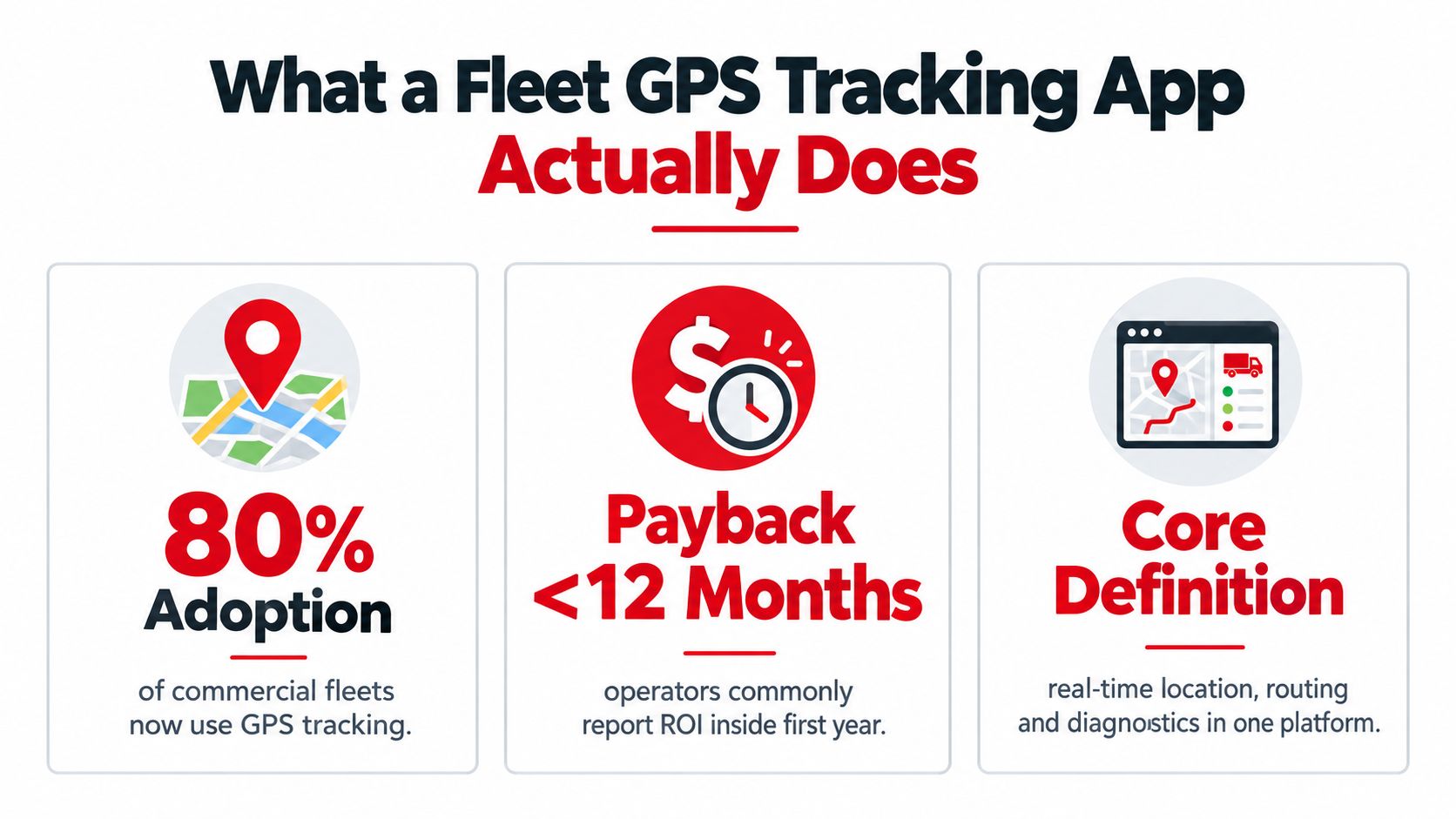
An industry survey found that 80% of fleets use GPS tracking, while 71% of fleets that install tracking recover their investment within 12 months. The opportunity for a small operator is clear: you can capture much of that operational value without buying an enterprise system packed with features your team won't use.
A fleet GPS tracking app should help you make better dispatch decisions, protect vehicles after hours, document trips, and coach drivers using consistent evidence. It shouldn't be an expensive map with decorative dashboards. For fleets with fewer than ten vehicles, the right choice is usually a focused system that solves a few costly problems reliably, then expands only when the business needs more control.
What a Fleet GPS Tracking App Actually Does
GPS tracking has moved into the mainstream. A 2026 industry survey reported that 80% of surveyed fleets use GPS fleet tracking, up from 69% the previous year, an 11-point year-over-year increase (LiveViewGPS fleet tracking statistics). Another industry summary reported that roughly 67% of commercial fleets use some form of GPS tracking, while 71% of fleets that install tracking recover their investment within the first 12 months (Research and Markets fleet telematics summary).
A fleet GPS tracking app is a connected operations layer, not a consumer car finder. A device installed in each vehicle determines its position through GNSS, collects available vehicle signals, sends information over a wireless network, and displays the results in a web or mobile dashboard. Owners, dispatchers, and authorized staff can then review current locations, trip history, alerts, and selected vehicle-health information.
Start with the device, not the dashboard
The hardware generally uses one of three installation approaches:
- Hardwired units connect to vehicle power and suit permanent installations.
- OBD-II devices plug into a diagnostic port and are easier to move or install.
- Power-adapter units use a cigarette-lighter socket and offer a simple starting point, though they can be easier to disconnect.
The app then turns incoming data into operational actions. A manager can see which technician is nearest to a new job, check whether a van reached a customer site, or receive an alert when a vehicle moves outside an approved area.
There are also three practical levels of capability:
- Pure GPS visibility, which focuses on location and trip history.
- GPS plus diagnostics, which adds engine, battery, odometer, or fault information when the hardware and vehicle support it.
- Full telematics, which combines location with fuel usage, idling, driver behavior, maintenance, and compliance workflows.
A route replay can help settle a mileage question or verify a site arrival. For a deeper look at that use case, review vehicle route history and trip tracking. Small fleets should begin with the operational problem, then buy only the data needed to solve it.
The Core Technology Stack Behind Every Fleet App
The screen is the easy part. A dependable fleet GPS tracking app depends on several technical layers working together, and a weakness in any one of them can undermine dispatch accuracy or alert reliability.
The first layer is GNSS positioning. GPS is part of the broader Global Navigation Satellite System family, which can also include signals from systems such as GLONASS and Galileo. The receiver estimates the vehicle's position, while the software interprets that position against roads, zones, and planned routes.
The second layer is vehicle and motion data. Accelerometers and gyroscopes can identify movement patterns, while OBD-II or CAN-bus connections may provide engine fault codes, fuel information, odometer readings, and other diagnostics. Telematics systems can also collect data such as speeding, harsh acceleration, idling, tire pressure, fuel efficiency, and part malfunctions, as described by the Future of Privacy Forum's telematics guide.
Why location alone falls short
A dot on a map tells you where a vehicle is. It doesn't tell you whether the driver is idling, whether the engine has reported a fault, or whether the vehicle is being driven aggressively. Combining location with vehicle telemetry makes alerts useful because the app can connect an event to a vehicle, route, time, and operating context.
The third layer is cellular backhaul. LTE-M can be attractive for smaller fleets because it supports lower-power connected devices and can reduce the amount of communication overhead. Conventional 4G LTE may provide stronger performance for data-intensive features, but it can involve different hardware, coverage, and service considerations. Ask vendors for coverage evidence on your actual routes instead of choosing from a technology label alone.
The final layer is cloud software. The cloud stores events, applies rules, manages permissions, and exposes dashboards or integrations. A platform's cloud fleet management features matter because the device is only useful if the information remains accessible when you need it.
| Layer | What It Does | Why Small Fleets Care |
|---|---|---|
| GNSS receiver | Establishes vehicle position | Supports dispatch, geofences, and trip records |
| Motion and diagnostics | Captures movement and vehicle signals | Makes safety and maintenance alerts actionable |
| Cellular backhaul | Sends data from the vehicle | Determines reporting continuity and service reliability |
| Cloud software | Stores, filters, and displays data | Turns raw events into decisions and records |
Indoor parking can weaken satellite fixes. Better systems may blend Wi-Fi lookup and cellular triangulation, but no platform can promise perfect positioning in every garage or enclosed structure. Also ask vendors to explain how to reduce GPS data use, especially if your devices report frequently or operate across variable cellular conditions.
Focus your evaluation on battery-health reporting, update frequency, coverage, and practical accuracy. The rest is mostly invisible plumbing unless it fails.
The Four Feature Pillars That Matter Most
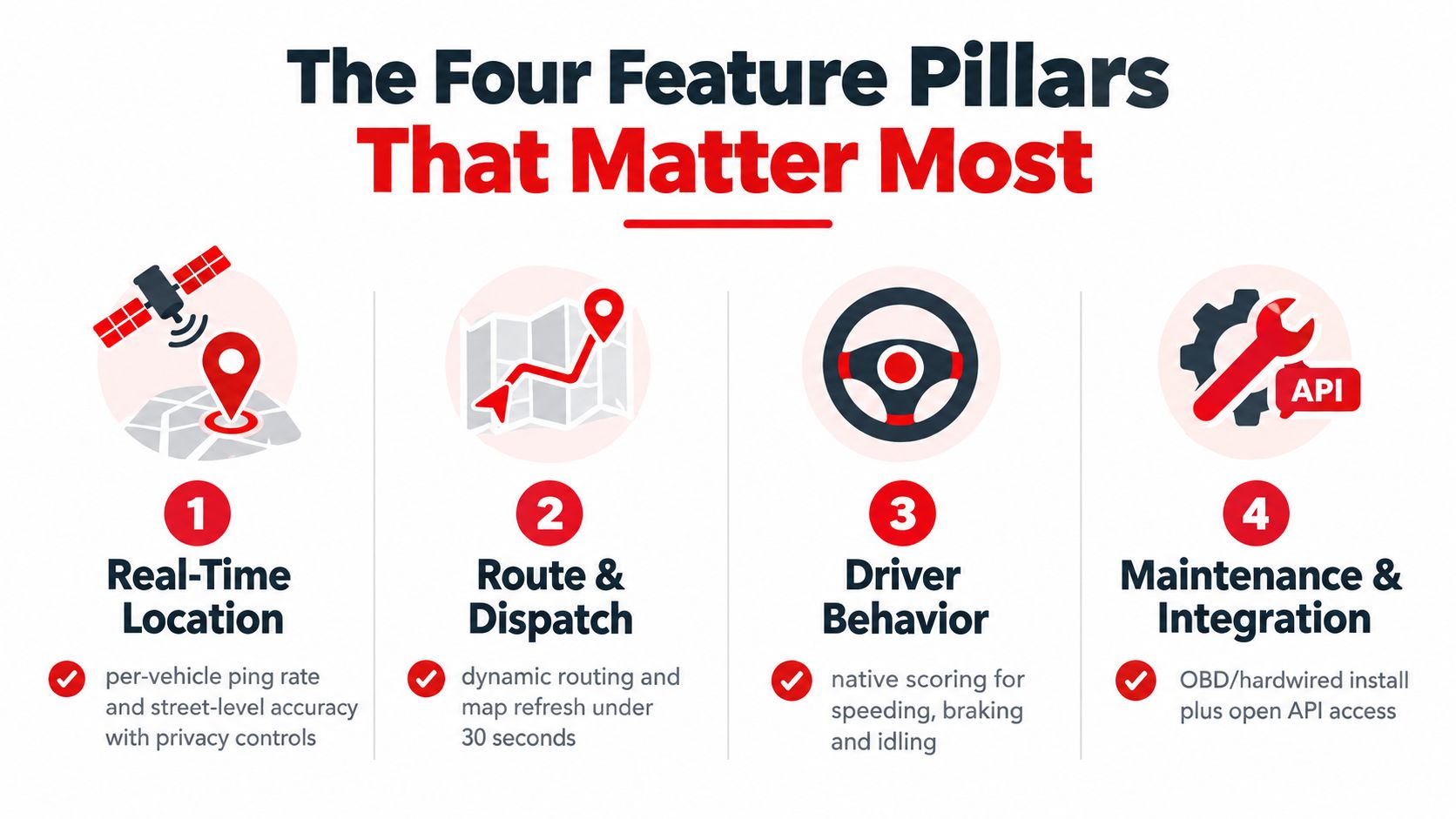
A useful fleet GPS tracking app delivers four connected capabilities. You don't need every advanced module on day one, but you do need a reliable foundation for location, geofencing, driver behavior, and trip history.
Real-time location
Start with the reporting interval and map refresh behavior. A system that updates too slowly can leave a dispatcher looking at yesterday's operational picture. Check how the app behaves when a vehicle enters a weak-coverage area, whether it stores missed events, and whether users can see street-level detail rather than a vague regional position.
Privacy controls matter here too. A driver may use a company vehicle outside work hours, or a technician may take a van home. The app should let the business define when tracking applies and explain that policy clearly to the driver.
Geofencing
A geofence creates a virtual boundary around a job site, depot, customer zone, or restricted area. A contractor can receive confirmation that a van arrived at a work location. A delivery operator can flag movement from the yard after closing. A service company can compare time spent inside a customer zone with the job record.
Good geofencing isn't about creating dozens of alerts. It's about creating a small number of alerts that require action, such as an unauthorized departure or an arrival that should trigger customer communication.
Driver behavior
Behavior monitoring works best when the platform distinguishes harsh braking, rapid acceleration, speeding, cornering, and idling. Scores should account for vehicle class and distance, because raw event counts can unfairly compare an urban delivery van with a highway tractor. Geotab's safety scorecard materials describe distance-normalized event formulas and vehicle-class benchmarks for this purpose (Geotab safety scorecard white paper).
The practical routine is simple. Review a week of events, identify a recurring pattern, coach the driver, and check whether the pattern changes. Don't use a score as a substitute for a conversation.
Trip history
Trip history turns movement into evidence. A manager can replay a route after a customer disputes an arrival time, verify mileage for billing, document an accident timeline, or review an unusual after-hours trip. The value comes from searchable records, timestamps, and clear exports, not from a colorful map alone.
You can explore the mobile tracking workflow through CarLock's fleet tracking app features.
If your budget only supports three pillars, choose based on the business problem. Security-focused operators may prioritize location, geofencing, and trip history. A service fleet may choose location, behavior, and trip history. The capabilities reinforce each other, but unused complexity doesn't create savings.
Real-World Benefits for Small Fleets
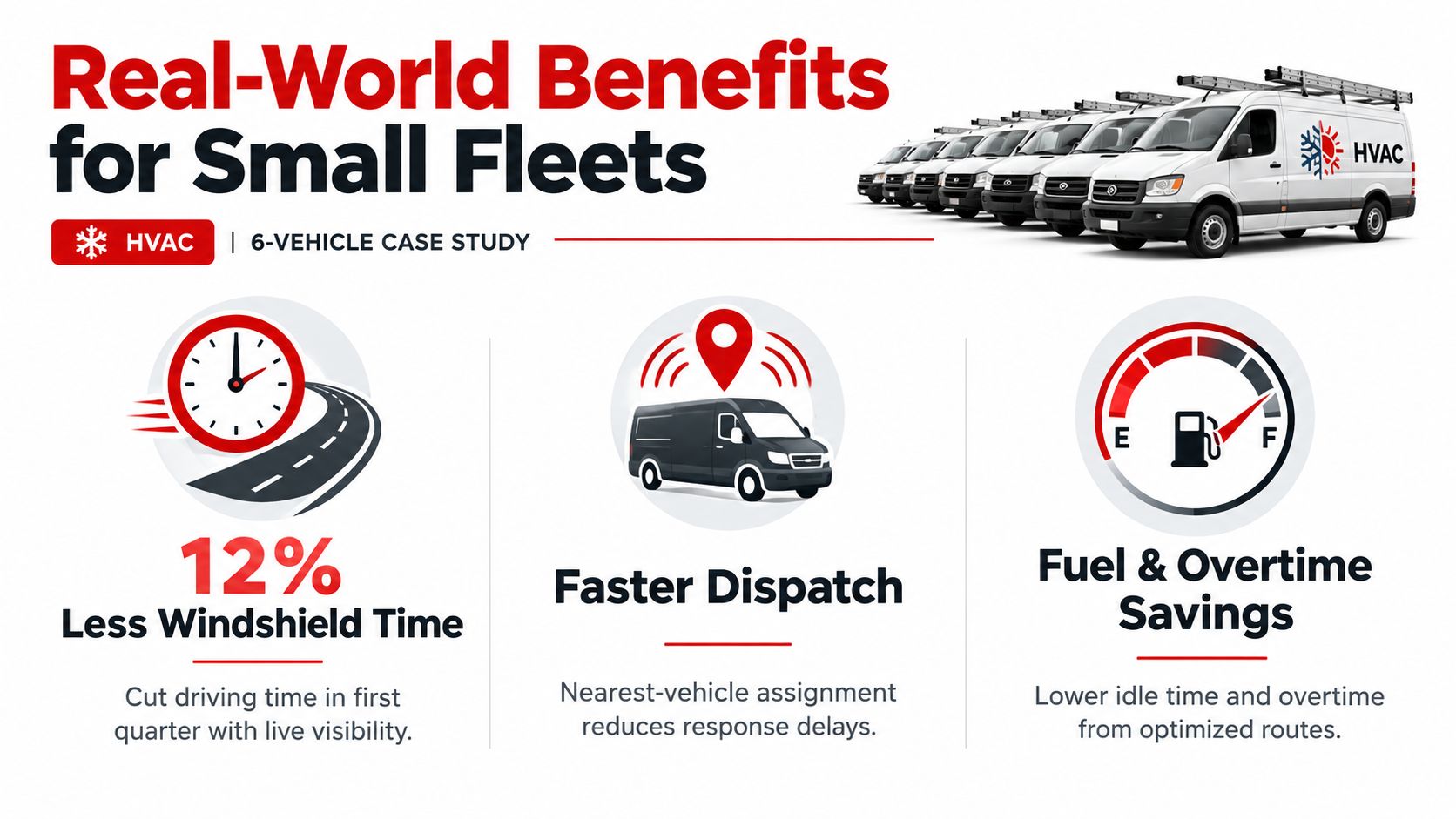
Consider a six-vehicle HVAC business. The owner has technicians moving between residential jobs, dispatchers assigning urgent calls, and vans parked at homes overnight. Before tracking, the owner relies on phone calls, handwritten mileage, and driver explanations when a customer challenges an arrival time.
Live location changes dispatch first. The manager can assign the nearest available van instead of calling every technician, and can identify route conflicts before they become missed appointments. That visibility can reduce wasted windshield time, but the owner should measure the result against actual mileage, travel time, and completed jobs rather than accepting a vendor's generic savings promise.
Where the operational value appears
The owner can use geofences around residential job sites and the company yard. An after-hours movement alert can prompt a quick check when a van leaves an approved location without a scheduled assignment. If a vehicle disappears, live location and trip history give the owner information that a basic alarm cannot provide.
Driver reports create a coaching loop. The manager can review harsh braking, speeding, cornering, and idling, then discuss specific events with the driver. This is more defensible than accusing someone of wasting fuel based on an unexplained invoice.
The financial case usually comes from several buckets:
- Fuel and idling: Route choices, unnecessary idling, and aggressive driving can expose avoidable fuel waste.
- Labor recovery: Accurate arrival and departure records can reduce manual timesheet disputes.
- Dispatch efficiency: The nearest suitable vehicle can receive the next urgent assignment.
- Security response: Unauthorized movement alerts can shorten the time between a suspicious event and an owner's response.
- Insurance discussions: Some insurers may consider continuous vehicle monitoring when reviewing commercial coverage, but any discount must be confirmed directly with the insurer.
The broader market evidence supports the business case. Fleet telematics estimates place the global market at USD 18.41 billion in 2024, with one projection reaching USD 46.98 billion by 2034, while another outlook projects growth from USD 10.42 billion in 2025 to USD 21.95 billion by 2032 (Market Research Future fleet telematics outlook). The estimates differ, but both describe a large market built around operational control.
For a small fleet, don't promise savings before collecting baseline data. Run the system long enough to identify recurring dispatch, utilization, safety, and security problems, then calculate whether the subscription solves a measurable cost.
Selection Criteria and a Practical Implementation Checklist
Small operators should score vendors against operational requirements, not feature count. Put reporting reliability, installation, alert quality, privacy, and support ahead of polished sales demonstrations.
Shortlist the platform
Look for these capabilities:
- Reporting speed: Confirm the practical refresh rate during active trips and dispatch work.
- Installation choice: OBD-II and hardwired options let you match the device to each vehicle.
- Behavior scoring: Native speeding, braking, acceleration, cornering, and idling reports reduce manual analysis.
- Integration access: An open API or webhooks can prevent future data silos.
- Pricing clarity: Understand per-vehicle charges, hardware costs, activation fees, and contract terms.
- Data handling: Ask where data is stored, how access is controlled, and what export options exist.
- Coverage support: Test the routes your drivers use, including rural roads, underground parking, and border areas if relevant.
Roll out in five controlled steps
- Define the problem. Choose two or three outcomes, such as reducing unauthorized use, improving arrival records, or assigning the nearest technician.
- Pilot two vehicles. Use different vehicle types or routes if your fleet operates under varied conditions.
- Test the data. Compare app locations with known trips, review missed updates, and count false alerts. Dashboard polish is secondary.
- Train drivers clearly. Explain what the system records, when monitoring applies, who can see it, and how employees can raise concerns.
- Review after the first 90 days. Compare results with the original problem list. Keep features that changed decisions and remove alerts nobody acts on.
Implementation rule: A pilot should test operational behavior, not just whether the app can display a vehicle on a map.
Common mistakes include buying on feature count, overlooking cellular gaps, and failing to provide written employee notice. A small fleet can avoid most implementation trouble by assigning one owner, one review routine, and one documented policy.
Common Integrations and What Small Fleets Actually Need
Integration lists often make a product look more complete than it feels in daily operations. A small business should connect the systems that remove a manual step now, not the systems that might become useful someday.
For regulated heavier vehicles, hours-of-service workflows may be essential. In the United States, operators should determine whether a vehicle and operation fall within applicable ELD requirements, rather than assuming every fleet needs the same compliance setup. Maintenance data is more broadly useful because odometer or engine-hour readings can trigger service planning before a missed interval becomes a breakdown.
Fuel-card integration can match transactions to vehicle activity and help investigate unexplained usage. Dispatch and routing software can also help a service business assign work, but only if the team already uses a scheduling process that creates duplicate entry.
| Integration | Priority for Small Fleets | Why It Matters |
|---|---|---|
| ELD or hours-of-service logging | High when legally applicable | Supports regulated driving records and compliance workflows |
| Maintenance scheduling | High | Connects service reminders to actual vehicle use |
| Fuel-card feeds | Medium to high | Helps reconcile purchases with trips and vehicle activity |
| Dispatch and routing | Medium | Reduces manual assignment when job volume justifies it |
| CRM arrival updates | Medium | Can automate customer-facing status information |
| Accounting sync | Situational | Helps with mileage-based billing and recordkeeping |
| Advanced BI connectors | Low initially | Useful only when existing data volume creates an analysis problem |
Start with maintenance, fuel, or dispatch based on the biggest manual burden. Don't buy a complex connector because a salesperson demonstrated it once. If the integration doesn't remove work or improve a decision your team makes today, defer it.
Privacy, Security and Legal Considerations
A tracking app isn't purely an internal tool. It processes location and behavior data connected to employees, contractors, customers, and sometimes private travel. Small operators often focus on installation and forget that monitoring practices can create legal and employee-relations exposure.
Create a written policy before activating devices. The policy should state the business purpose, what data the system collects, when tracking operates, who can access it, how long records remain available, and how employees can ask questions or challenge inaccurate information.
Build controls into the rollout
Use this practical checklist:
- Document a lawful basis: In the EU, GDPR-style accountability requires a documented basis for processing and a clear explanation of monitoring. Consent may not always be appropriate in an employment relationship.
- Provide advance notice: Give drivers the policy before monitoring begins, not after the first alert appears.
- Limit retention: Keep historical location and behavior data only as long as the operational or legal purpose requires. A defined window, such as 30 to 90 days, may be appropriate for routine records, with longer retention for an active dispute.
- Apply role-based access: Dispatchers may need live locations, while mechanics may need diagnostic information without access to driver behavior records.
- Handle dual-use vehicles: Disable or restrict tracking during personal use where feasible, especially when employees take vehicles home.
- Audit permissions: Review access logs and user accounts regularly, and remove access when responsibilities change.
The CarLock privacy information is a useful starting point for understanding how a provider presents privacy practices, but it shouldn't replace your own written policy or local legal review.
Unionized workforces, cross-border operations, after-hours use, and regional wiretap or two-party-consent rules deserve specific advice. Encrypt data in transit and at rest, restrict live tracking links, and never rely on default settings. Don't repurpose behavior data for discipline when employees weren't told that was possible.
How CarLock Fits Into a Small-Fleet Tracking Strategy
For a business with one to ten vehicles, the sensible question isn't whether an enterprise telematics platform can do more. It's whether your team will use the extra depth consistently enough to justify the complexity.
CarLock can serve as a lightweight entry point for owners who need vehicle visibility with a strong security component. Its monitoring model supports real-time location, geofencing-style movement awareness, driver behavior alerts, and trip history, while also focusing on unauthorized movement, ignition activity, vibration or towing, device disconnection, and abnormal battery drain.
That combination fits a common small-business concern. The owner doesn't just want to know where a van is during a workday. They want an alert if it moves after hours, if someone starts it without authorization, or if a device is disconnected. Vehicle-theft risk remains a serious operational issue even as reported U.S. thefts fell to 659,880 in 2025, after exceeding one million in 2023, according to a 2026 vehicle-theft summary.
The trade-off is simplicity
A smartphone or plug-in installation can reduce deployment friction compared with a traditional hardwired telematics rollout. A predictable subscription structure can also make planning easier for a small owner, but you should still verify current hardware, service, coverage, and contract terms before buying.
CarLock isn't a substitute for every enterprise fleet platform. A growing operator may eventually need native ELD workflows, deep dispatch integrations, fuel-card reconciliation, advanced diagnostics, or extensive reporting. Those capabilities matter when the business has enough operational volume to use them. For a small fleet whose main priorities are owner visibility, theft response, trip records, and basic driver awareness, simpler deployment can be the more rational choice.
Review the company's product scope through CARLOCK's company information, then compare it against your actual requirements. Choose a heavier platform when regulatory duties, dispatch complexity, or fleet scale make the additional controls necessary. Choose a focused system when enterprise breadth would only create unused dashboards and extra administration.
CARLOCK offers small fleet owners real-time vehicle location, trip history, movement and ignition alerts, tamper notifications, and driving-behavior monitoring in a smartphone-based system. If you want practical visibility and stronger vehicle security without starting with enterprise telematics complexity, visit CARLOCK and evaluate whether its approach fits your vehicles and operating policy.