

Driver’s Desk
Real Time GPS Tracker iPhone: Car Security Guide
You return to the parking lot expecting to see your car exactly where you left it. Instead, there's an empty space, broken glass, or a silent alarm that never helped. You open your iPhone and search for a real time GPS tracker, hoping an app can show you where the vehicle went. That search often leads to a critical distinction: finding a misplaced phone or key isn't the same as recovering a stolen car.
The High-Stakes Reality of Vehicle Security
Vehicle theft changes an ordinary day immediately. A missing car can disrupt work, childcare, travel, and access to essential belongings. The first question is usually practical, where is the vehicle? The harder question follows quickly, what can you do if nobody nearby has detected it and the car has already left the area?
Traditional deterrents still have a role. A steering wheel lock can make a vehicle less convenient to steal, while an alarm can draw attention to forced entry. Neither one gives the owner a live location after the car moves. A dedicated car alarm system can add another layer, but audible deterrence and location recovery solve different problems.

Tracking has more than one meaning
“Tracking” can describe several technologies:
- Item finding: A Bluetooth tag helps locate keys, bags, or other nearby belongings.
- Phone location: Apple's Find My service helps locate a lost iPhone through its own connection or the wider Find My network.
- Vehicle recovery: A purpose-built tracker combines satellite positioning, cellular communication, power, and alerts so an owner can follow a moving asset.
That distinction matters because a car doesn't remain close to its owner. It may travel through a parking structure, industrial area, rural road, or location where nearby phones aren't participating in a tracking network. A Bluetooth finder can be useful as a backup clue, but it shouldn't be treated as a vehicle security system.
There's also a device-security angle. If you rely on an older or refurbished iPhone to receive alerts, review practical guidance about the security of refurbished iPhones and keep the phone updated, protected by a passcode, and signed in securely. Your tracking system is only useful if the person receiving the alert can access it safely.
Understanding Apple Location Services and Find My
Apple Location Services doesn't depend on GPS alone. Apple says an iPhone can use cellular networks, Wi-Fi, GPS, and Bluetooth to determine its position, and that combining signal types can improve accuracy in different environments. Its technical explanation of how iPhone location works shows why a phone may continue estimating position when one signal source is weak.
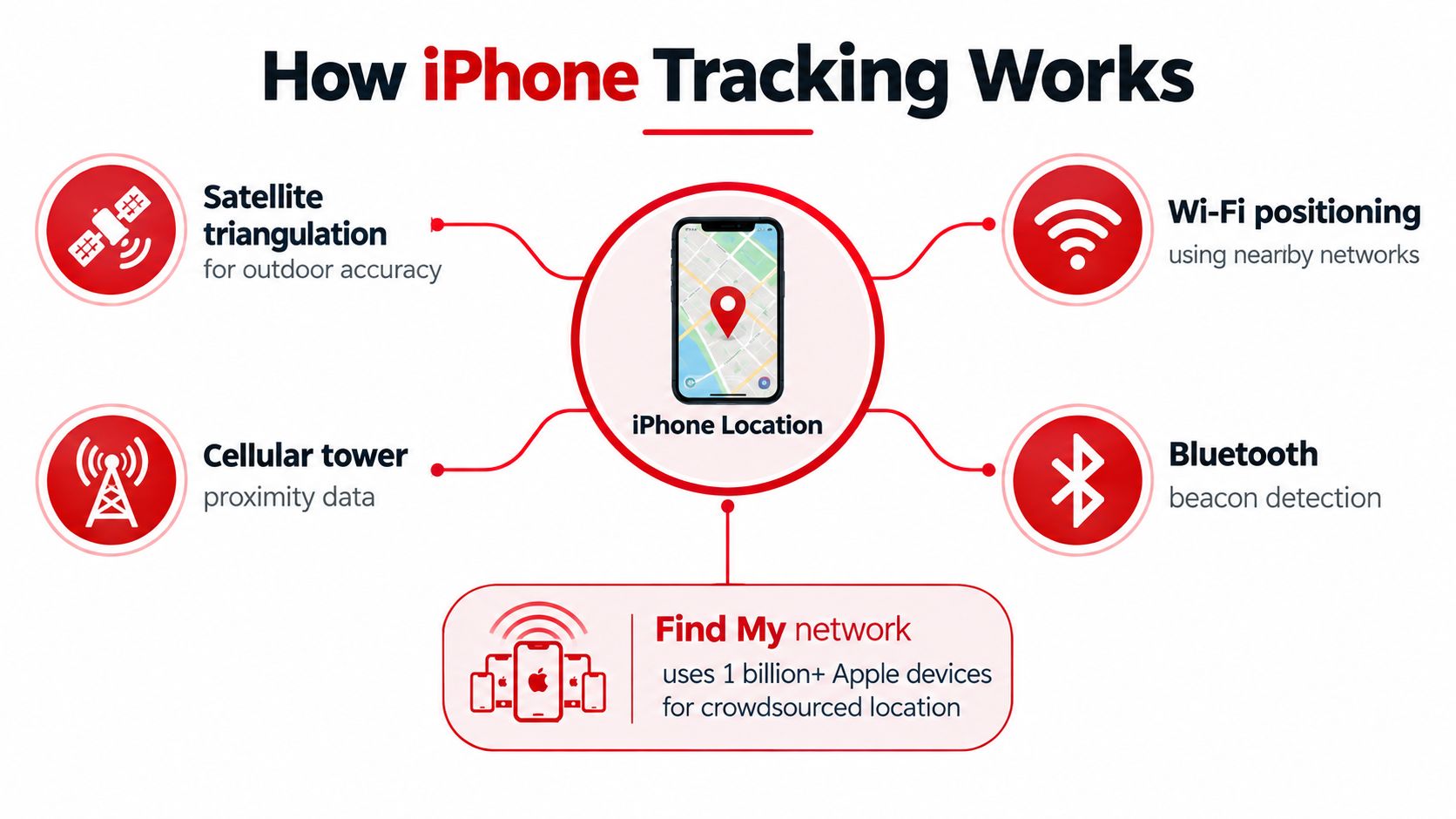
Find My is particularly effective for Apple devices. Apple says a missing device with limited internet access or little battery can still sometimes be located through the Find My network, which includes over a billion Apple devices worldwide according to Apple's Find My overview. Nearby participating devices can help relay a location without the missing device continuously reporting directly to its owner.
Why that strength doesn't transfer automatically to cars
An iPhone is usually carried by a person. It has its own battery, operating system, network connection, and permissions. A car is different. The vehicle needs a persistent device that remains powered, communicates over a cellular network, and reports its position independently of whether another Apple device passes nearby.
Find My can help locate a phone left inside a car, but that isn't the same as locating the car itself. If the phone is removed, powered off, disconnected, or left behind, the vehicle has no automatic location source unless separate hardware is installed.
That's why an iPhone app should be viewed as the control interface, not necessarily the tracking sensor. A vehicle locator for iPhone can display a car's position, but the underlying hardware must still collect and transmit the data.
Bluetooth Trackers vs Dedicated GPS Hardware
Bluetooth trackers and cellular GPS devices serve different jobs. Confusing them creates a dangerous false sense of security, especially when a product is marketed as a convenient “real-time GPS tracker iPhone” solution.
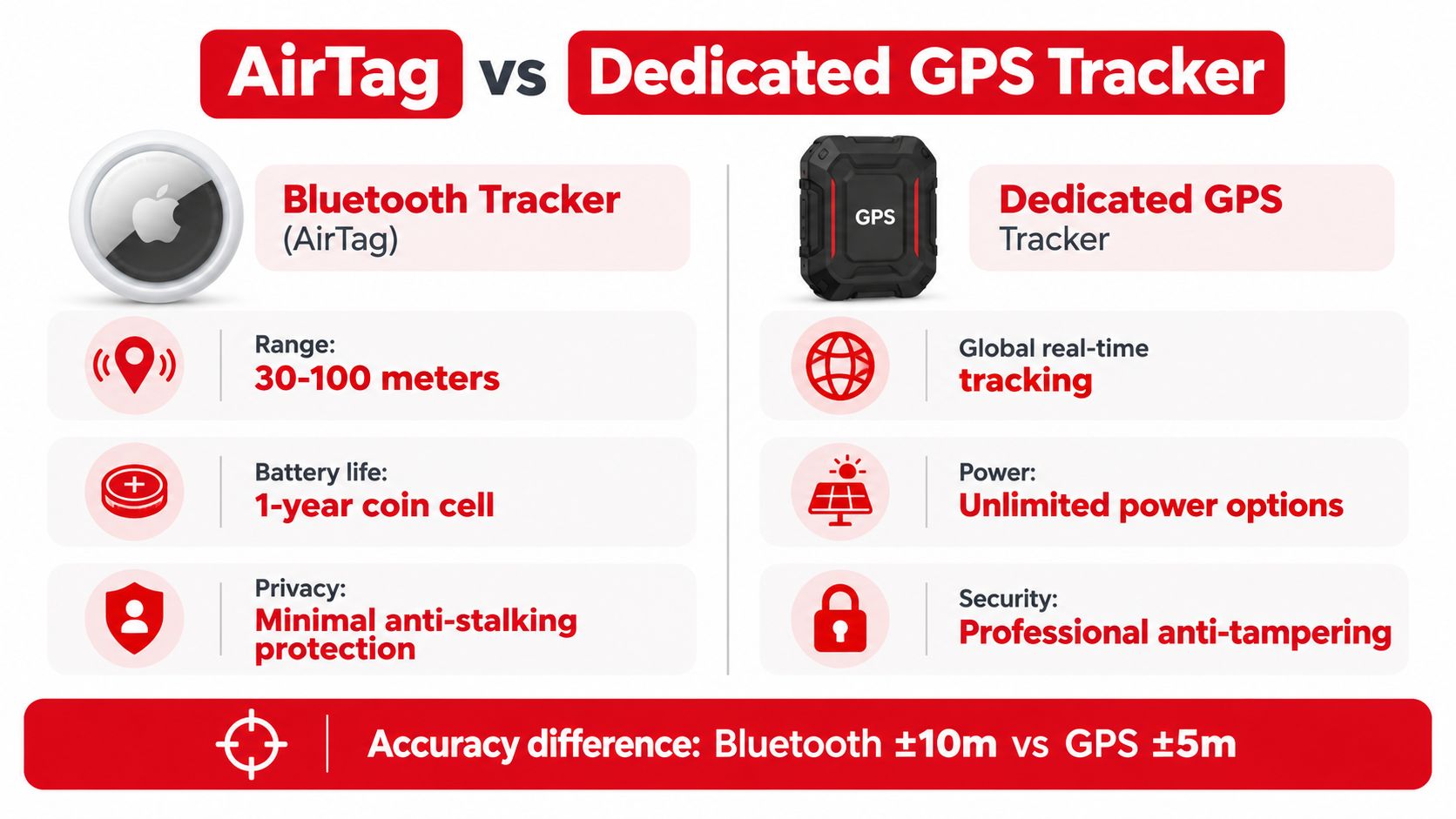
A Bluetooth tag broadcasts a short-range signal. Its location may update when a compatible nearby phone detects that signal and relays it through a wider network. That approach works well for keys in a house, a bag left in a café, or luggage at an airport. It becomes less dependable when a stolen car enters an underground garage, travels through a sparsely populated area, or moves where compatible devices aren't nearby.
The practical comparison
| Capability | Bluetooth item finder | Dedicated cellular GPS device |
|---|---|---|
| Primary purpose | Locating personal items | Monitoring a vehicle or other asset |
| Location source | Nearby compatible devices and short-range detection | Satellite positioning and cellular data |
| Reporting independence | Depends on nearby phones | Reports through its own communication connection |
| Vehicle suitability | Limited, with potential blind spots | Designed for movement monitoring and recovery |
| Power model | Usually a replaceable or rechargeable small battery | Vehicle power, hardwired power, or another dedicated source |
| Security information | Basic location indication | May include movement, tampering, engine, vibration, or trip alerts |
The GPS tracker feature set matters more than the word “GPS” on a product page. Ask how the device sends its location, how often it updates while moving, what happens when the vehicle is stationary, and whether it alerts you when someone disconnects it.
Where Bluetooth still makes sense
Bluetooth isn't useless. It can provide a low-cost way to identify an approximate location or reveal that an item remains near a particular device. It can also complement a vehicle security plan by helping recover keys or equipment stored in the car.
It is not a substitute for a cellular tracker. A car owner needs a system that does not wait for a stranger's phone to pass within detection range. For theft recovery, independent reporting and tamper awareness are more important than a small form factor.
How CarLock Integrates with Your iPhone
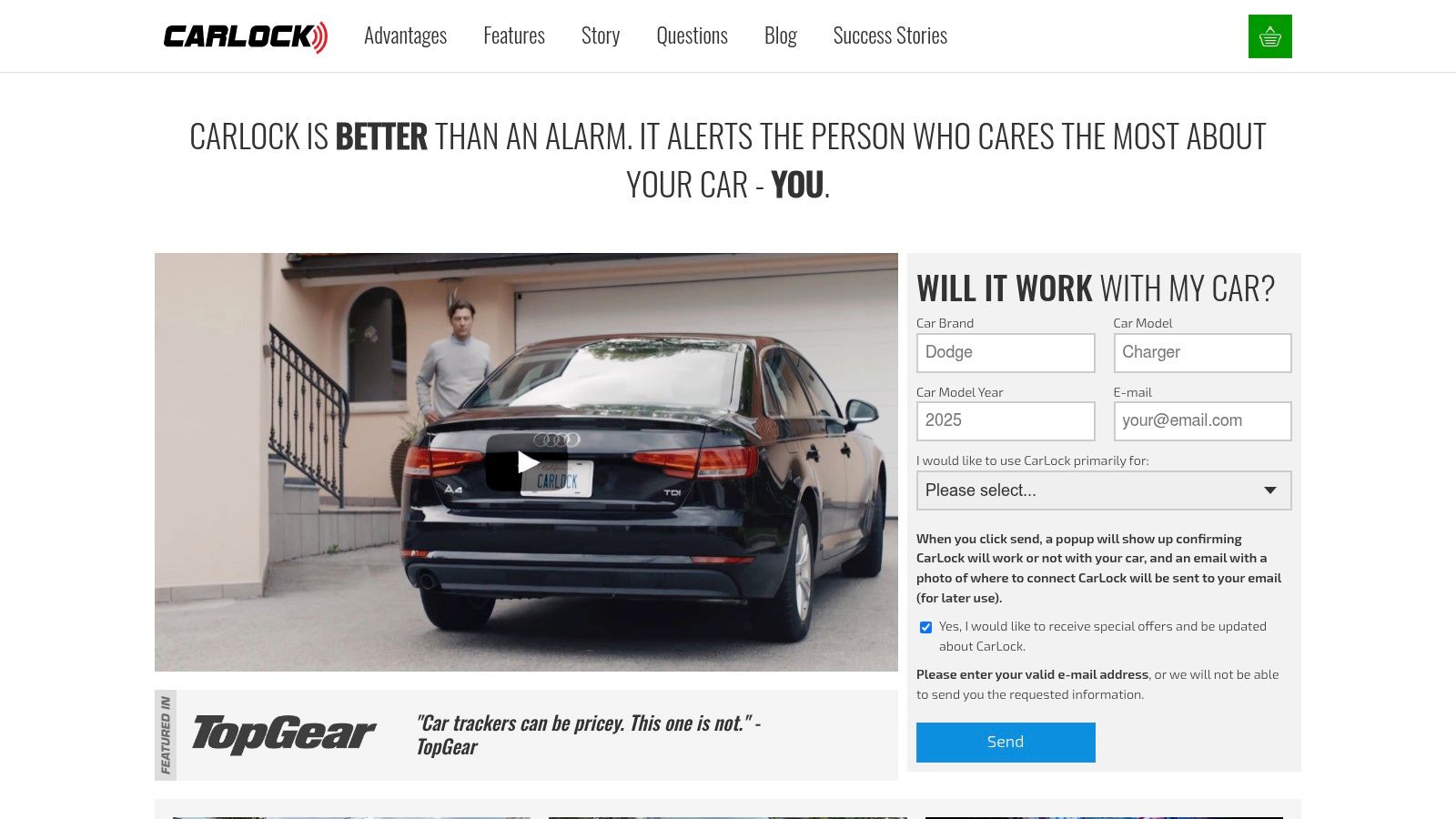
A practical iPhone vehicle-tracking setup has three parts: hardware in the car, a communication path, and an app that turns events into actionable alerts. CarLock uses a vehicle-installed device and a mobile app so the owner can view information from an iPhone rather than relying on a Bluetooth tag hidden in the cabin.
Start with installation. A hardwired device draws power from the vehicle instead of relying only on a small portable battery. That reduces the risk of the tracker falling off, being forgotten during charging, or stopping when its battery runs down. Installation should follow the product instructions or be handled by someone familiar with the vehicle's electrical system.
Configure alerts before you need them
Once the hardware is connected, install the iPhone app, sign in, and enable the notifications that match your risk profile. Useful events can include:
- Unexpected movement, which can indicate towing, unauthorized use, or a theft attempt.
- Engine startup, which matters when the car should be parked.
- Unusual vibration, which may point to impact, forced entry, or loading activity.
- Device disconnection or tampering, which can warn you that someone is trying to disable monitoring.
- Abnormal battery drain, which may reveal an electrical issue or suspicious activity.
The CarLock app experience turns the iPhone into a monitoring dashboard. Depending on the system and plan, the owner can review the vehicle's current position, follow movement, examine trip history, and receive alerts without repeatedly opening a map to check manually.
Test the workflow
Don't install a tracker and assume the job is finished. Test an alert while the car is parked, confirm that notifications reach the correct iPhone, and check that the map shows the expected vehicle. If several people use the car, establish who receives alerts and what action they should take before contacting law enforcement or a recovery provider.
A tracker doesn't physically stop every theft. Its value comes from shortening the time between suspicious activity, owner awareness, and a practical response.
Advanced Features for Safety and Monitoring
A vehicle tracker becomes more useful when it describes what the car is doing, not only where it is. Location answers one question, but movement alerts, trip history, and driving behavior provide context that helps an owner decide whether an event is routine or suspicious.
Consider a parent who lends a car to a teenage driver. A map may show the route, but it won't explain whether the driver is braking harshly, accelerating aggressively, or taking corners too quickly. Driving alerts can create a starting point for a calm conversation based on recorded behavior rather than assumptions.
The same information helps small fleet operators. A manager may need to confirm that a vehicle followed an expected route, identify unusual use, or understand how a driver handled the car. Vehicle health and monitoring features can add operational context, although owners should still follow the manufacturer's maintenance schedule and use professional diagnostics for mechanical faults.
From recovery tool to prevention system
Useful monitoring combines several signals:
- Movement alerts identify activity when the car should be stationary.
- Trip history shows where the vehicle has been and helps reconstruct events.
- Harsh acceleration and braking alerts highlight driving patterns that may increase risk.
- Aggressive cornering notifications can indicate a need for coaching.
- Tamper warnings focus attention on attempts to disconnect or interfere with the device.
These features support two goals that are often treated separately. The first is security, detecting movement or interference early. The second is safety, helping families and fleet owners encourage more controlled driving.
Practical rule: Use alerts to prompt a decision, not to replace judgment. Confirm who has the vehicle, check the context, and respond proportionately.
The strongest setup is therefore not just a pin on a map. It is a stream of information that helps the owner understand whether the vehicle is parked, moving normally, being driven unsafely, or showing signs of interference.
Privacy, Consent, and Legal Considerations
Vehicle tracking isn't only a technical decision. It can create legal and privacy risk when the person installing the device doesn't own the vehicle or lacks permission to monitor its use. Independent automotive coverage notes that installing a GPS tracker on someone else's vehicle without consent is illegal in most U.S. states, as discussed in this vehicle tracker guide from AutoWeek.
Ownership simplifies the question, but shared use still deserves care. A parent tracking a vehicle they own, an employer monitoring a company vehicle, and a person secretly tracking a partner's car are not equivalent situations. The purpose, ownership arrangement, employment relationship, local law, and notice given to drivers can all matter.
Ask these questions before installation
- Who owns the vehicle? Ownership documents and lease terms may affect the right to install monitoring equipment.
- Who drives it? List family members, employees, contractors, mechanics, and other regular users.
- What is the purpose? Theft recovery, fleet administration, safety coaching, and private surveillance raise different concerns.
- What notice is required? Employers and shared-vehicle owners may need clear written policies or consent.
- Where will data go? Review account access, retention, sharing, and deletion controls.
- Which jurisdiction applies? Rules can differ between states and countries, particularly where privacy protections are stricter.
A Bluetooth tag doesn't remove these responsibilities. Its small size can make covert placement easier, which makes consent even more important. Nor does an iPhone app create legal permission just because the data is easy to view.
Consent should be part of the installation checklist, not an afterthought.
For business fleets, document the policy and limit access to people who need the data. For family vehicles, explain what is monitored and why. If the situation involves another person's vehicle, surveillance concerns, or unclear ownership, obtain local legal advice before installing hardware.
Why True Real-Time Tracking Requires Cellular Hardware
An iPhone can calculate location by combining GPS, Wi-Fi, Bluetooth, and cellular signals. That makes the phone itself a capable positioning device, but positioning and persistent vehicle monitoring aren't the same thing. The vehicle still needs a device that can collect location data and transmit it when the owner is elsewhere.
A dedicated GPS tracker uses satellite signals to estimate position and cellular data to send updates. The update interval depends on the product, network, settings, and environment. A real-time tracking service therefore doesn't mean perfect continuous precision in every location, particularly where satellite visibility or cellular coverage is poor.
The difference between technologies becomes clearer in theft scenarios. A Bluetooth finder may wait for nearby phones to detect it, while a cellular tracker reports through its own network connection. The former can be helpful for item recovery. The latter is designed for an asset that moves independently of its owner.
Theft risk makes the distinction practical
The Insurance Information Institute reported that U.S. vehicle theft reached its lowest level in decades in 2025. Insurance.com, citing NICB data, reported 659,880 stolen vehicles in 2025, a 23% decline from 2024, and identified the Los Angeles-Long Beach-Anaheim area as having the highest total, with 53,911 thefts. Those figures appear in Insurance.com's vehicle theft coverage.
The figures don't make every car equally vulnerable, and a tracker doesn't guarantee recovery. They do show why location monitoring remains relevant, particularly for owners in areas with concentrated theft risk or for people protecting expensive, essential, or shared vehicles.
Hardware also addresses the power problem. A phone left in a car can lose battery, be removed, or be discovered by a thief. A purpose-built vehicle device can remain connected to the car's electrical system and notify the owner if someone tries to disconnect it.
Making the Right Choice for Your Vehicle Security
Find My is an excellent choice for locating an iPhone, Mac, AirPods, or another compatible personal device. It shouldn't be treated as a complete anti-theft plan for a vehicle. The right tool depends on the asset, the threat, and the information you need after something unusual happens.
Choose a Bluetooth finder for keys, bags, and other personal items. Choose phone location sharing when the person carrying the phone has agreed to share their position. Choose dedicated vehicle hardware when you need independent reporting, movement alerts, tamper awareness, and a persistent connection to a car.
Before buying, verify the practical details:
- Power: Can the device remain active when the car is parked?
- Connectivity: Does it use cellular communication rather than nearby phones alone?
- Alerts: Can it report movement, startup, vibration, disconnection, and battery issues?
- App access: Does the iPhone app show current position and trip history clearly?
- Privacy: Can you use it lawfully and explain monitoring to other drivers?
- Response: Do you know what action you'll take after an alert?
For owners seeking a vehicle-focused option, CARLOCK combines a car-installed tracker with an iPhone app, movement and tamper alerts, trip history, and driving-behavior monitoring. That approach fills the gap between finding an item and maintaining active awareness of a moving vehicle.
CARLOCK gives vehicle owners real-time GPS monitoring, smartphone alerts, trip history, and notifications for suspicious movement or tampering. Visit CARLOCK to review how its cellular vehicle-tracking system can complement your iPhone and create a more practical theft-recovery plan.