

CarLock Tag Troubleshooting Guide
If your CarLock Tag is not working as expected, the most likely cause is a depleted battery. Follow the steps below to replace it:
How to Replace the Battery
-
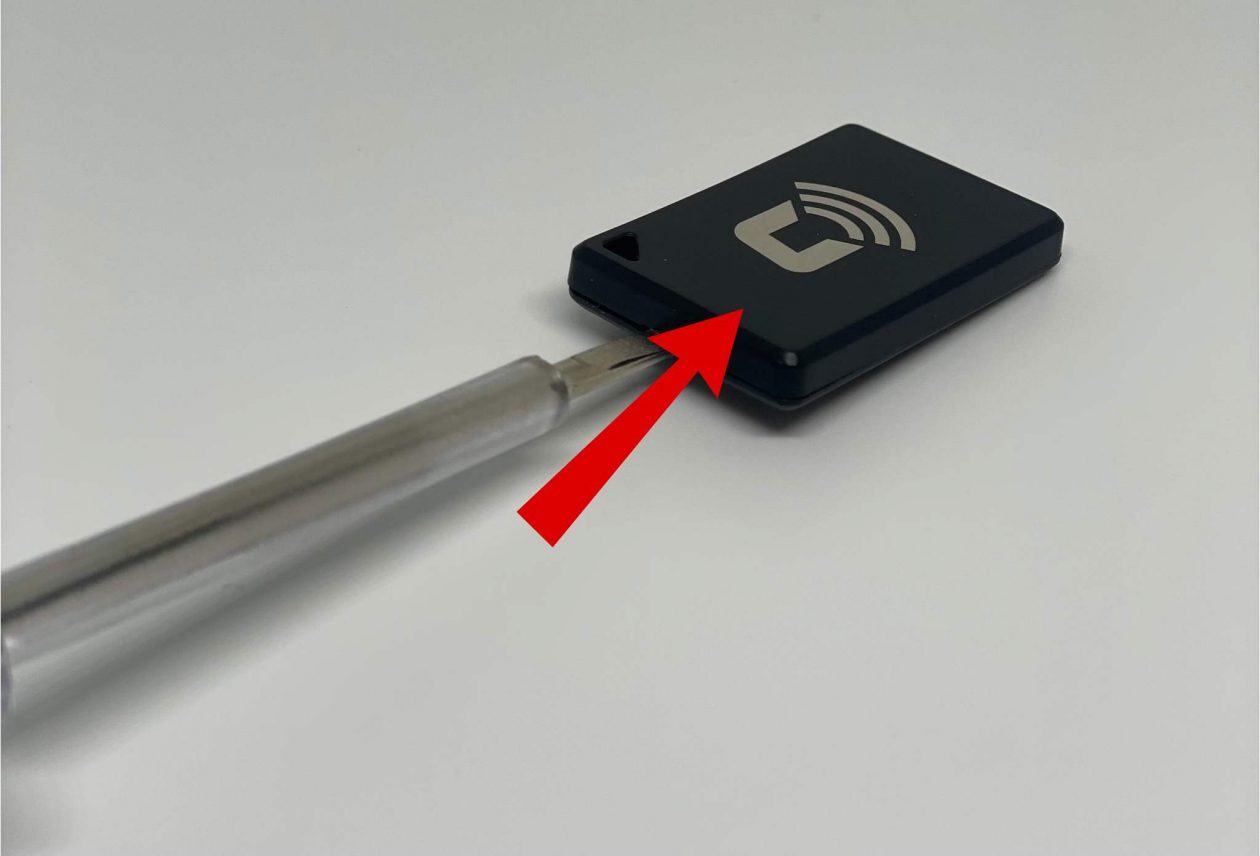
Pry open the Tag: Use a thin flathead screwdriver to gently pry open the Tag by inserting it into the small notch or seam along the edge.
-
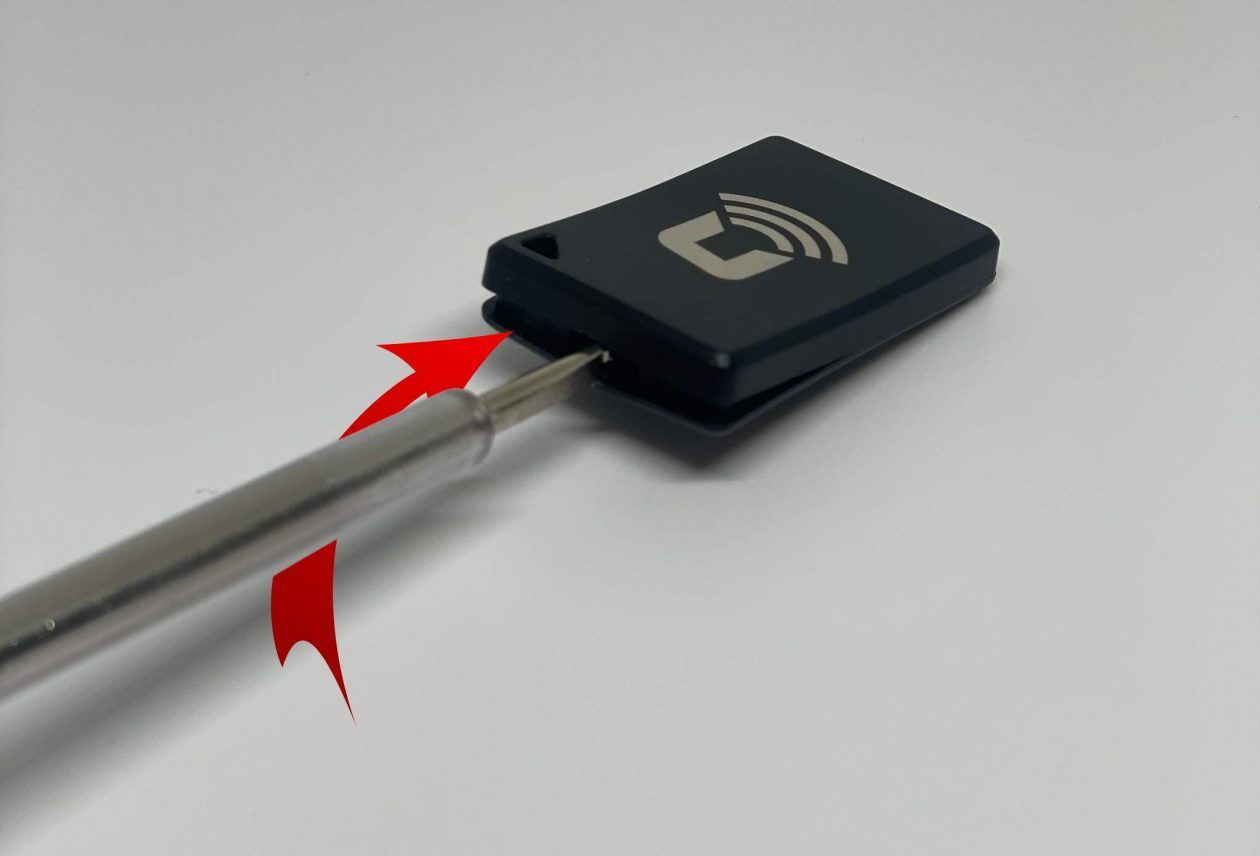
Twist to open: Once the screwdriver is in place, carefully twist it to pop the cover open. Be gentle to avoid damaging the plastic casing.
-
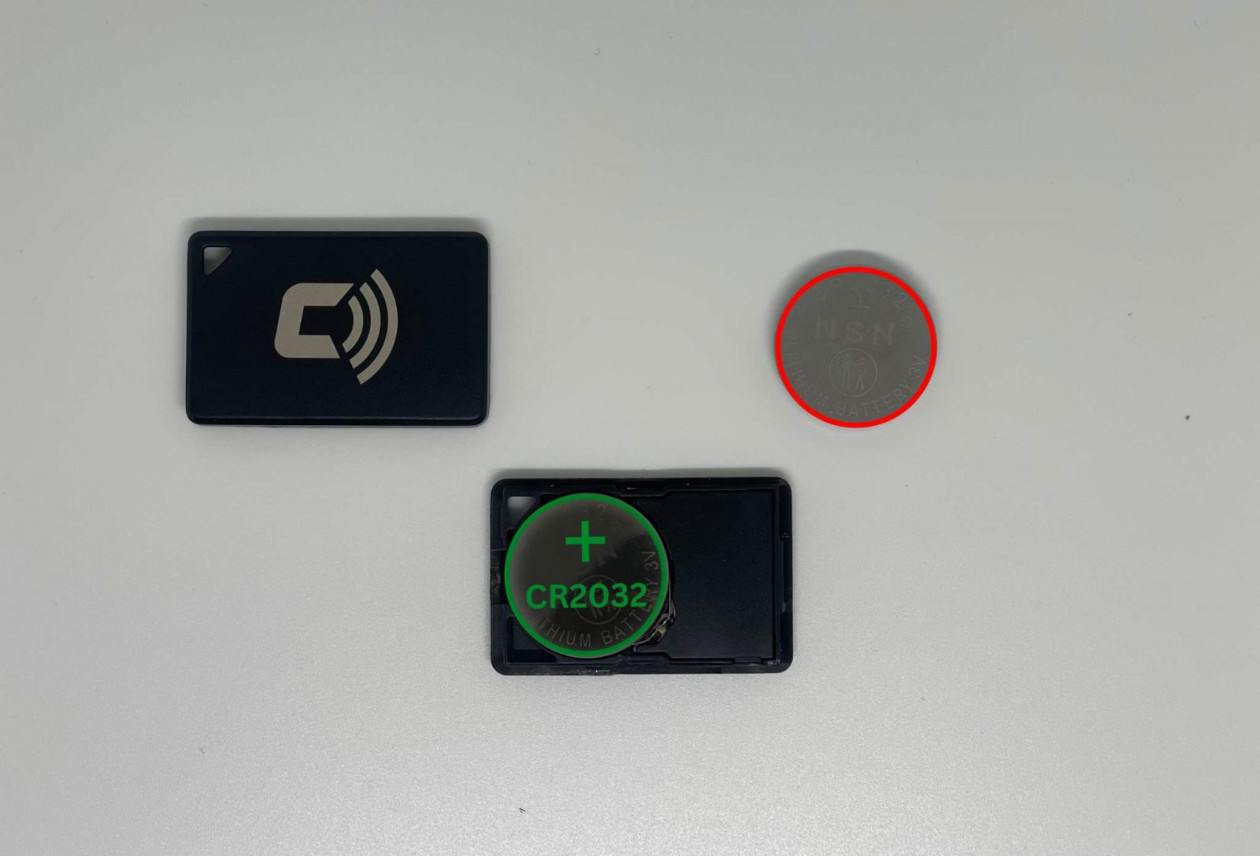
Replace the battery: Remove the old battery and insert a new CR2032 button cell battery. Make sure the side with the label (positive side) is facing up.
-
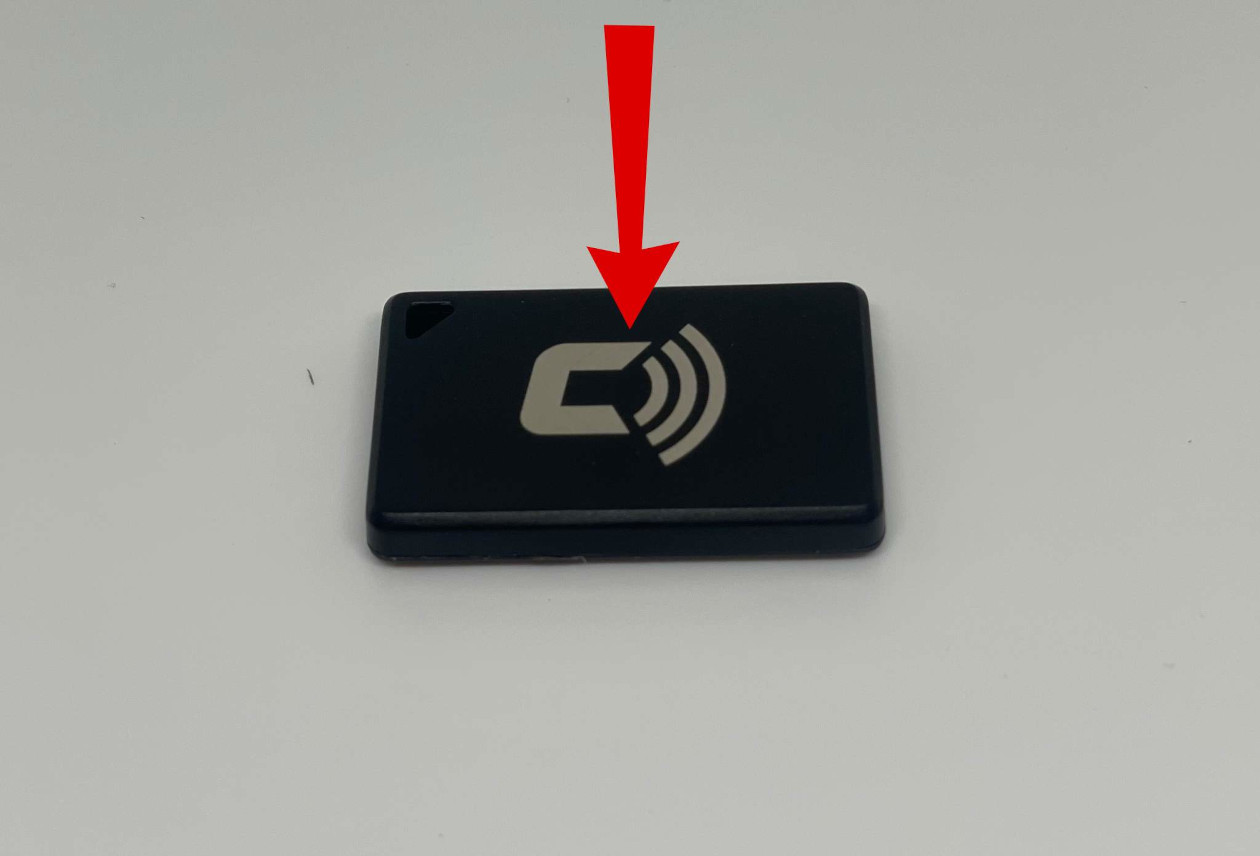
Close the Tag: Align the two halves of the Tag and press them together until they snap securely into place.


If your CarLock Tag still doesn't work after replacing the battery, please contact our support team for further assistance.