

Driver’s Desk
GPS Fleet Tracking with Camera: A Complete Guide
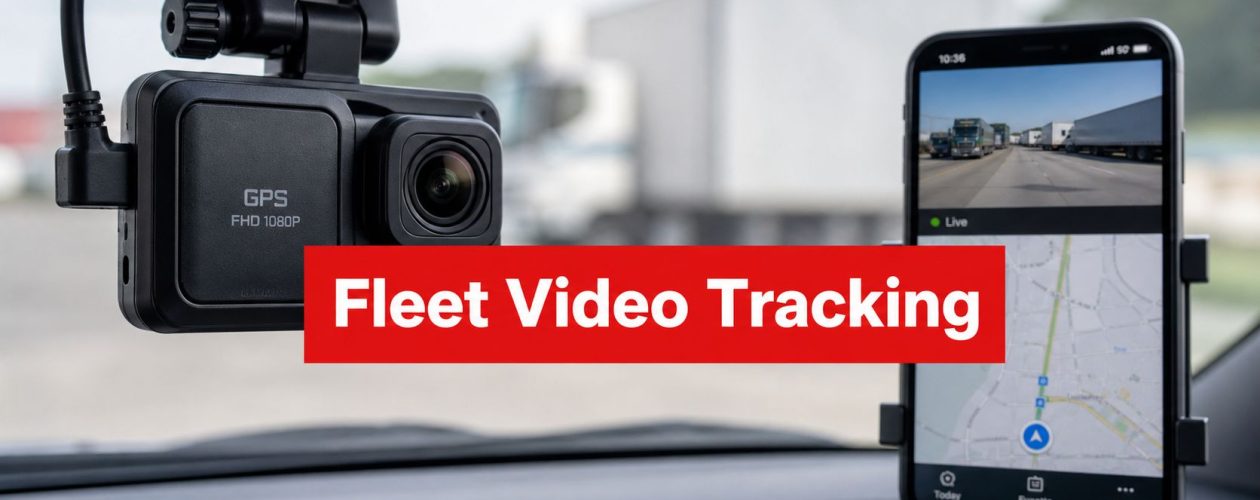
You're probably dealing with the same problem every fleet manager runs into sooner or later. A driver calls about a scrape, a customer disputes what happened, or you see a vehicle idle in the wrong place and need answers fast. GPS fleet tracking with camera turns those moments from guesswork into a replayable record, because you're no longer reading location breadcrumbs alone, you're pairing them with video that shows what happened.
That pairing matters. GPS tells you where the vehicle was and when, while the camera adds the missing context, road conditions, driver actions, traffic, or an outside event. In practice, that means the system is built for incident review, theft response, coaching, and claims support, not just map dots on a screen.
What GPS Fleet Tracking With a Camera Really Means
A manager gets a sideswipe report at the end of a shift. The truck is back at the yard, the GPS trail shows the route, and the driver insists another vehicle drifted into the lane. The question isn't just “where was the truck?” It's “what happened in those few seconds?”
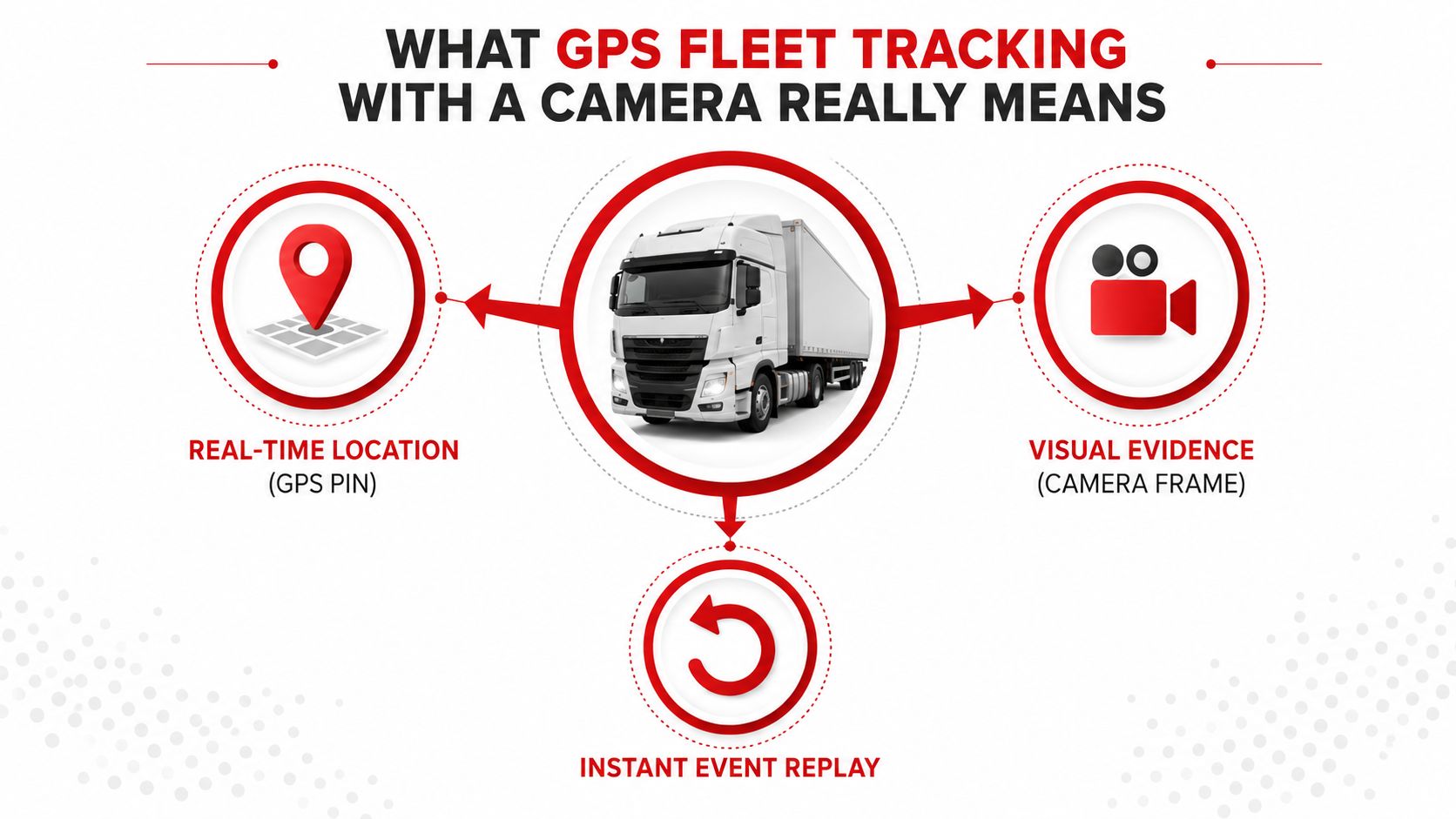
A GPS fleet tracking with camera setup combines location data and video footage so fleet managers can connect the pin on the map to the scene around the vehicle. That's different from a standalone GPS logger, which only records movement, and different from a basic dash cam, which only records video without the stronger trip context of route history and position data. Industry sources describe this fusion as a way to see both where a vehicle is and what happened around it, which is why camera-enabled telematics is increasingly sold as one system rather than two separate devices.
The distinction sounds small until you need to use it. A GPS trace can prove a vehicle was at a junction, but it can't show whether the driver was cut off, whether traffic was stopped, or whether a third party caused the incident. The camera fills that gap.
Practical rule: if the map answers where and when, the camera answers what, and the value comes from those two records lining up on the same clock.
That's the working model for the rest of the article. Synchronized location plus video is the core feature, and everything else, coaching, theft response, claims, compliance, sits on top of that idea.
Core Components Behind the System
A good way to understand the hardware is to think of it as a body. The GNSS receiver acts like the eyes for position, the camera sensor captures the scene, the telematics control unit acts like the brain, the cellular modem is the nervous system, and the cloud platform stores the memory.
Modern fleet GPS systems with integrated cameras are typically built as dual-channel telematics devices that combine GNSS positioning with 4G/LTE video transport. One common architecture records front-road and cabin video at 1080p/15 fps using H.264 encoding, while supporting 4G LTE live streaming and multi-constellation GNSS for roughly 3-meter positioning accuracy. The important part isn't the spec sheet by itself, it's the fact that the position fix and the video frame can be matched to the same event window.
A well-designed unit keeps those layers coordinated:
- GNSS module: determines where the vehicle is and timestamps the trip.
- Camera sensor: records what the driver and the road looked like.
- Telematics control unit: decides when an event matters and organizes the data.
- Cellular uplink: sends clips, alerts, and status back to the platform.
- Cloud dashboard: lets a manager review footage and route history together.
If you're comparing telematics devices, the device feature breakdown on the CarLock GPS car tracker features page is useful as a reference point for how tracking hardware is typically presented to buyers.
The practical payoff is simple. Once the hardware timestamps the map data and the video together, you can replay a hard brake, a sharp turn, or a collision as one event instead of digging through separate records. That's what separates camera-enabled fleet tracking from a plain tracker.
Camera Types and What Each One Actually Captures
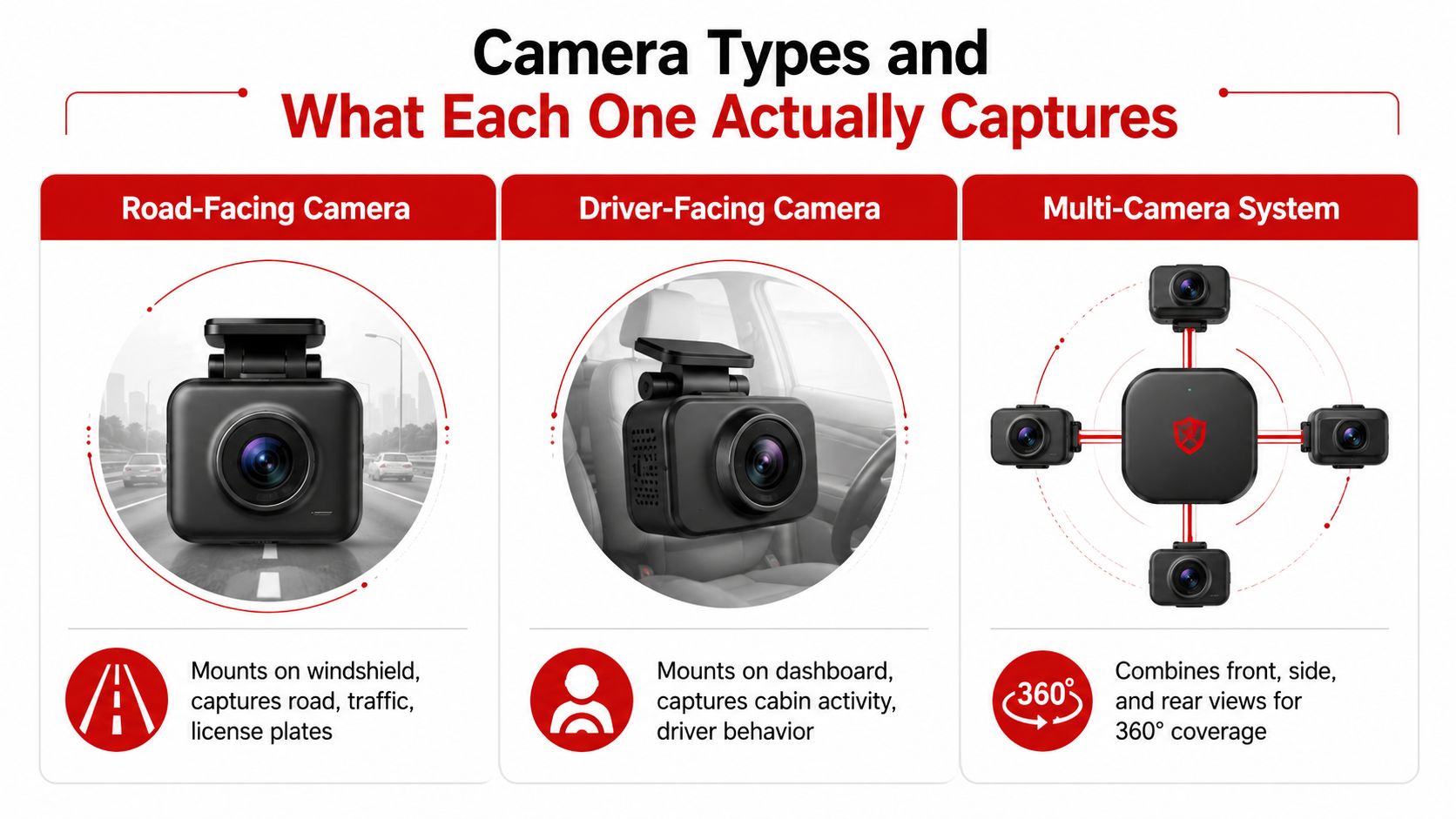
A road-facing camera is the cleanest first step. Mounted on the windshield, it captures the lane ahead, traffic flow, braking behavior, and many license plates or external hazards. It's strong for collision context, but it can miss what happened inside the cab, so a phone in the driver's hand or a distraction below the lens line may never appear in the footage.
A driver-facing camera points inward. FleetOptix describes this setup as a way to identify distracted-driving behaviors such as texting while driving, and that's the value of the in-cab angle, it can tie driver actions to events like harsh braking or speeding. That makes the footage useful for coaching and policy enforcement, not just surveillance.
A multi-camera system goes further by combining front, side, and rear views. That kind of layout helps with blind spots, cargo claims, yard incidents, and theft response, because one lens rarely tells the whole story. The trade-off is complexity, more wiring, more data, and more review time when an event happens.
For many fleets, the question isn't which camera is “better.” It's which behavior you need to prove. A road-facing lens works well for exoneration in a lane-change dispute. A driver-facing lens is stronger for distracted-driving review. A multi-camera kit is better when the risk lives outside the windshield, in the cargo area, at the rear doors, or in a tight loading bay.
Many operators now treat the pair as one unit, because the camera only becomes really useful when its view is tied back to the vehicle's GPS trail. Without that sync, you have clips. With it, you have evidence.
Documented Benefits and ROI for Fleet Operators
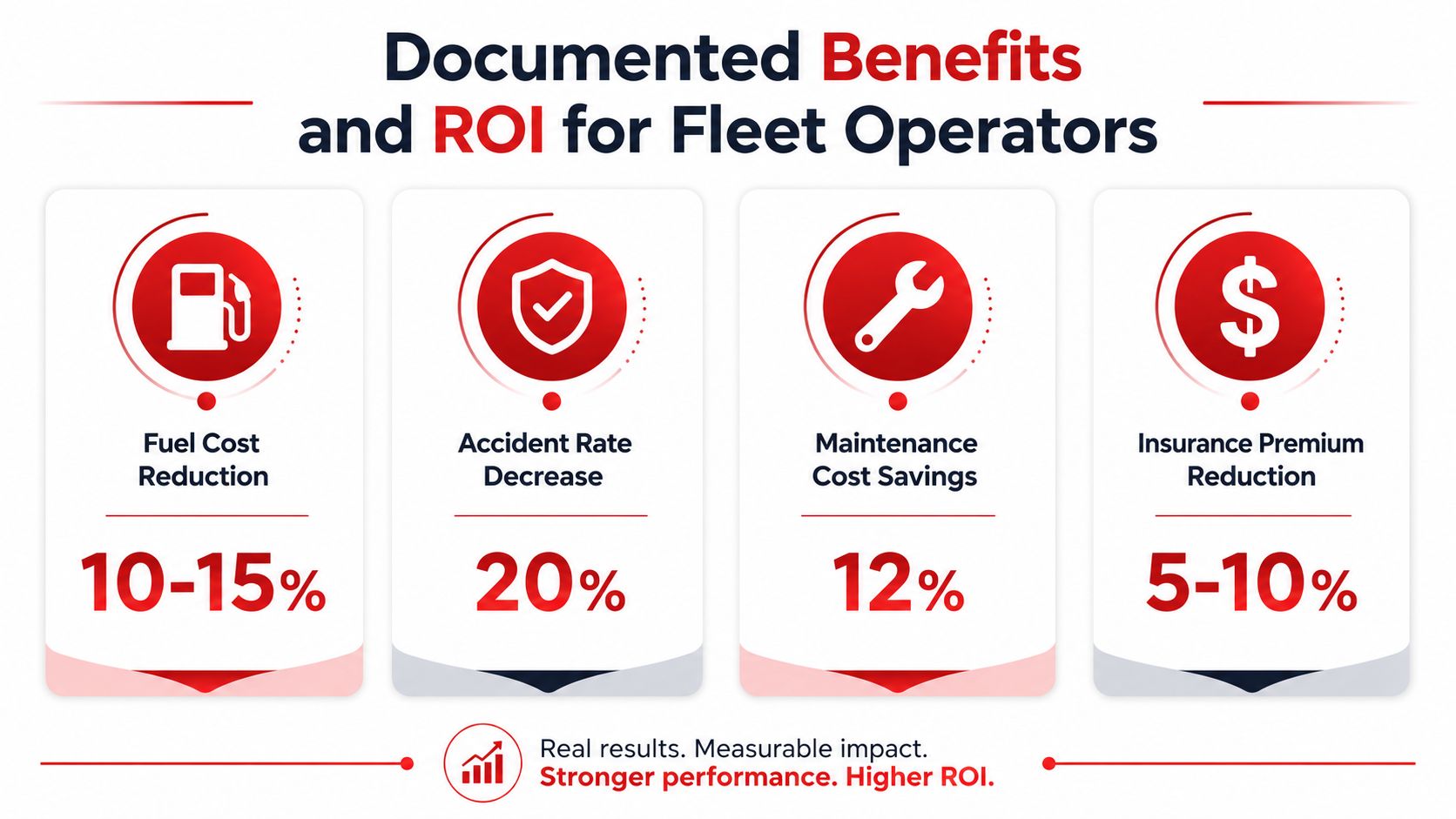
The strongest documented return on investment comes from GPS tracking itself, not from generic camera marketing. According to the UK Fleet Technology Trends Report 2025, fleets that implemented GPS tracking reported a 24% reduction in fuel consumption, a 19% reduction in accidents, a 19% reduction in labour costs, a 16% decrease in vehicle maintenance, and a 20% decrease in insurance costs. The same report found that across all industries in the UK, GPS tracking users saw an average 25% decrease in fuel costs, a 17% decrease in accident costs, and a 20% decrease in overall labour costs.
Those numbers matter, but they don't mean the camera caused every improvement. They show what fleets reported after adopting tracking, and the gains likely came from route control, driver visibility, and faster intervention, with video adding more context when an incident needed review. That's why it helps to separate operational savings from evidence value.
For the camera layer, the evidence is more nuanced. Lytx describes GPS plus dash cam video as a way to quickly locate, monitor, and manage vehicles and drivers, and that framing lines up with how most fleets use the tool, for alerts, coaching, and exoneration. The public material is much weaker on independent, longitudinal proof that cameras alone reduce crashes by a fixed percentage. Buyers should be careful when vendors blur those lines.
A useful way to think about ROI is to split it into three buckets:
- Hard savings: fuel, maintenance, labour, insurance, and reduced accident costs.
- Process savings: faster incident review, less time spent hunting for footage, better route history.
- Risk reduction: stronger claims defense, clearer coaching conversations, tighter policy enforcement.
If you want a broader security context for video-enabled monitoring, Premier Broadband's business surveillance guide is a helpful comparison point because it shows how camera systems are often evaluated for access, storage, and oversight, not just image capture. For fleet managers, the same thinking applies.
Route replay also matters here. The CarLock route history page shows how trip records help reconstruct movement after an event, and that's exactly the sort of historical context buyers should expect from a serious telematics stack.
Bandwidth, Storage, and Streaming Considerations
Video is where buyers usually underestimate the system. GPS breadcrumbs are light, they can be sent every 5 to 10 seconds, and units can buffer data when cellular coverage drops. Video is different. Once you add footage, the uplink becomes the bottleneck, not the GPS chip.
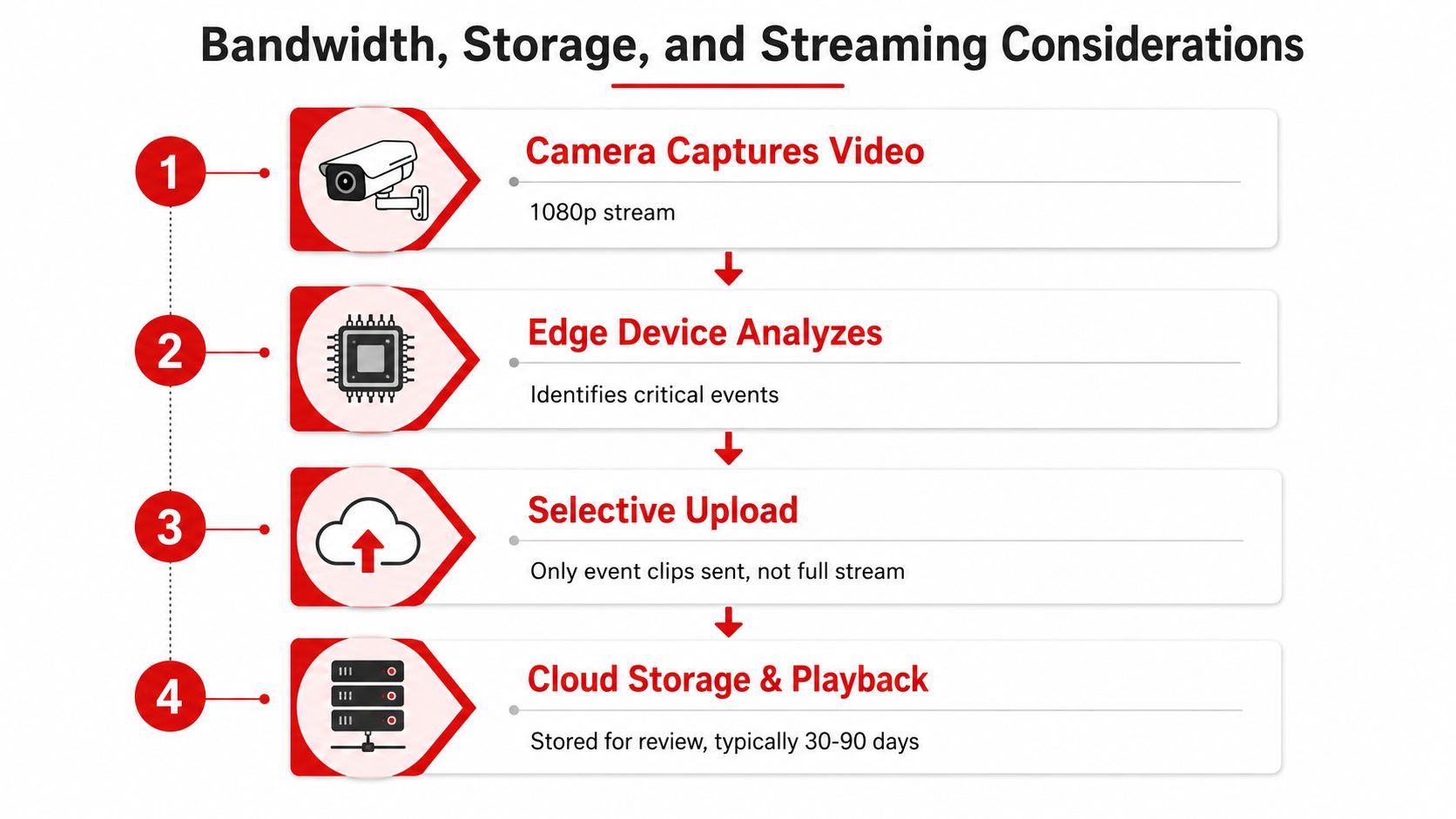
That's why high-end systems lean on event-triggered uploads, RTSP or live-preview modes, local storage, and 4G LTE Cat 1 or similar links to keep transmission workable. In practice, the device keeps route visibility running continuously, then sends video only when something worth reviewing happens, harsh braking, collision, tamper, or a driver-behavior flag.
The cleanest way to picture it is edge selection. The device watches first, stores locally second, and uploads selectively third. That keeps mobile data from being wasted on uneventful highway miles. If you want a general sense of how quickly data adds up, SwiftNet Wifi's how long 1GB lasts resource is a useful reminder that “just a little video” can become expensive once it's multiplied across a fleet.
A few practical terms matter here:
- Local buffering: footage stays on the device when coverage drops.
- Event clips: only the relevant segment uploads, instead of the full stream.
- Live preview: a manager can check a vehicle without pulling everything from cloud storage.
- Retention window: footage stays available for a defined period, locally or in the cloud, before it expires.
A cloud-backed system should also make remote review easy. The CarLock cloud features page is a simple example of how buyers expect to access history without physically retrieving the device or memory card.
Privacy, Consent, and Compliance Trade-Offs
The hardest part of camera-enabled tracking isn't the hardware. It's the policy. Once a fleet combines video, location, and driver identity, the system stops being just a tracker and becomes a workplace monitoring tool.
That creates real friction in mixed-use fleets, unionized environments, and regional markets with different privacy rules. In-cab cameras can make drivers feel watched even when the company's intent is safety or claims defense, and that perception affects trust unless the rollout is handled carefully. The CarLock privacy page is a good reminder that access and data handling belong in the product conversation, not the legal footnote.
Write the rules before you switch the cameras on.
A workable policy set should cover four things:
- Who can view footage: limit access by role, not by curiosity.
- Why footage can be reviewed: safety, claims, theft, coaching, or compliance only.
- How long footage is kept: define a retention schedule, then stick to it.
- When footage may be shared: spell out internal escalation and external disclosure.
Cross-border transfer rules matter too, especially if vehicles, managers, and cloud storage sit in different regions. So do employee notice practices and any consent requirements in your jurisdiction. The system may be technically simple, but the governance layer isn't.
A lot of public fleet content talks about visibility and AI alerts, but stops short of explaining labor concerns, retention limits, or employee communication. That gap matters because a camera that creates useful evidence can also create avoidable conflict if drivers never understood the purpose or the boundaries. The safest approach is to treat the policy as part of deployment, not paperwork afterward.
Implementation Checklist and Best Practices
Start with a pilot, not a full rollout. Pick two to five vehicles that represent the fleet's common routes and risk profile, then measure install quality, signal reliability, missed events, and driver feedback before you scale. A small pilot shows you whether the equipment fits your real operation, not just the demo environment.
Installation quality decides whether the system is useful. The camera needs stable power, clean windshield mounting, and correct antenna placement, and you should verify GPS lock and video framing before the vehicle leaves the bay. If the lens points too high, catches dashboard glare, or loses signal on a regular route, the problem is usually install quality, not the software.
Driver communication matters just as much. Tell drivers that the system supports safety, incident review, and exoneration, not just monitoring. When people understand that the footage can clear them after a false complaint, they usually engage more fully with coaching.
| Phase | Timeframe | Key Actions | Success Signal |
|---|---|---|---|
| Pilot setup | Days 1 to 7 | Install units, confirm GPS lock, test live video, train supervisors | Clean footage, stable tracking, no missed installs |
| Early review | Days 8 to 14 | Check event triggers, review false positives, collect driver feedback | Useful alerts, fewer irrelevant clips |
| Tuning | Days 15 to 21 | Adjust sensitivity, verify retention, refine review workflow | Better event quality, less alert fatigue |
| Steady use | Days 22 to 30 | Coach from real clips, check uploads, confirm access controls | Consistent reviews and actionable footage |
Practical rule: if a clip can't be found fast enough to matter, the rollout isn't finished.
That first month should also include a regular review rhythm. Look at footage, tune thresholds, and decide which events deserve automatic upload. The goal is useful signal, not a flood of alerts.
Choosing a Solution With the Right Feature Checklist
A good procurement process starts with the question, “What problem are we trying to solve?” Theft response, accident reconstruction, driver coaching, and compliance don't all need the same configuration, so the checklist should reflect your priorities instead of a vendor's headline features.
The CarLock app features page is a useful reminder that managers usually want quick access from a phone as much as from a desktop. That same expectation should guide every proposal you review, because fleet tools fail when the daily workflow is clumsy.
Location and telematics
Look for reliable trip history, route replay, live alerts, and clean timestamps. If the system can't reconstruct a trip after an incident, the video won't have enough context to help.
Video quality and event capture
Check road-facing and driver-facing options, low-light performance, and how clips are triggered. Ask whether the unit records continuously, buffers locally, or only uploads on events.
Connectivity and storage
Make vendors explain data handling in plain language. You want to know how the unit behaves when coverage drops, how long footage is kept, and whether your plan includes cloud access, local storage, or both.
Privacy and access controls
Demand role-based permissions, audit trails, and retention settings. If a proposal can't explain who sees the footage and for how long, that's a procurement problem, not a small detail.
Total cost of ownership
Don't stop at hardware price. Ask about cellular data use, storage fees, installation time, replacement units, and any charges tied to alerts or video retention. Hidden operating costs are where video fleet projects usually get more expensive than expected.
A simple scoring method helps. Rank each vendor against the operational outcome you care about most, then weight the categories that support it. A theft-heavy fleet needs stronger alerts and route history. A compliance-heavy fleet needs better access controls and review logs. A coaching-focused fleet needs clearer driver-facing evidence and easy clip sharing.
The best shortlist is the one that survives a hard sales conversation. Ask for a live demo, a retention policy, and a sample incident replay before you sign anything, then compare the answers against your rollout plan instead of a brochure.
If you're ready to compare camera-enabled tracking against your own fleet risks, visit CARLOCK and review how its tracking, alerts, and route history fit a real-world vehicle security setup. It's a practical place to start if you want to see how GPS visibility and vehicle protection can sit in the same system.